
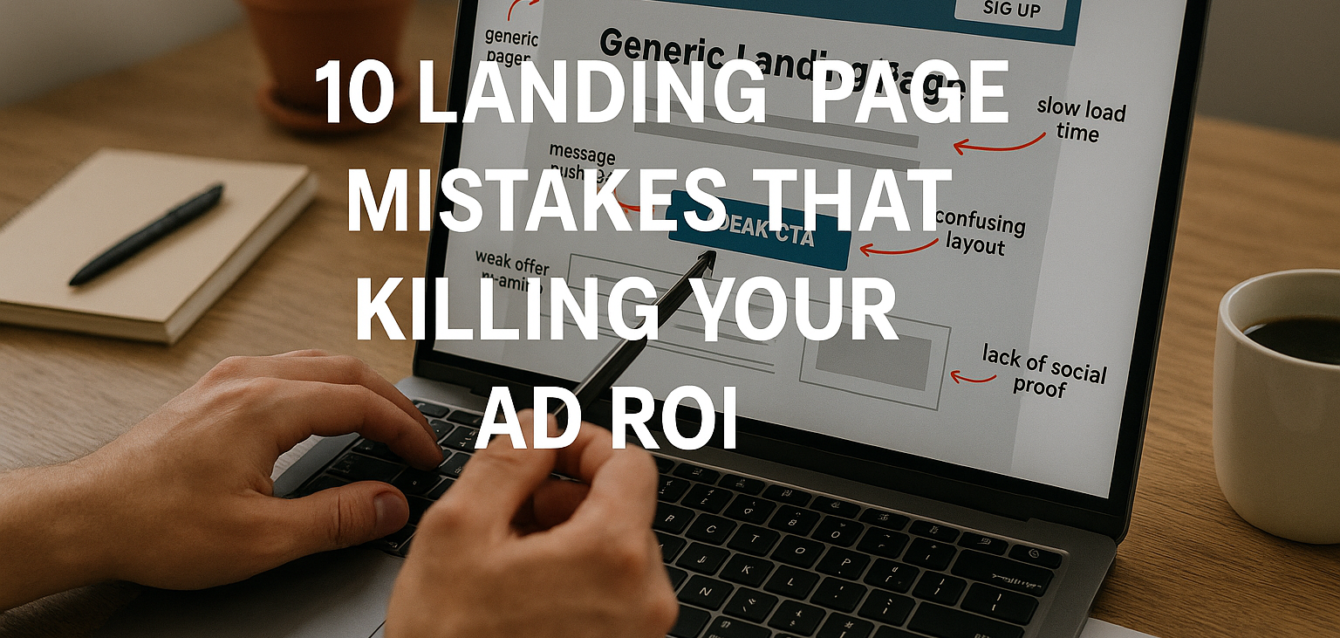
10 Landing Page Mistakes That Are Killing Your Ad ROI
The biggest landing page mistakes that kill ad ROI happen after the click: slow mobile load, weak message match, unclear CTA copy, missing proof, confusing layout, and forms that ask for too much too soon.
Paid traffic is expensive because every click has a cost. If your Google Ads, Facebook Ads, or LinkedIn Ads send users to a page that does not match the promise, load fast, build trust, and make action easy, your cost per lead rises even when your campaigns are well targeted.
In our audits of 200+ landing pages, we have found that ad ROI problems are often post-click problems. The ad gets attention. The landing page loses the conversion.
Before raising your budget, run a free CRO audit to find the conversion leaks that are wasting paid traffic. This guide breaks down the 10 most common paid traffic landing page mistakes and shows how to fix each one.
What Are Landing Page Mistakes in Paid Advertising?
Landing page mistakes are post-click problems that stop paid visitors from completing the action your ad promised, such as submitting a lead form, booking a demo, buying a product, or starting a trial.
For paid traffic, the landing page is not just a destination. It is part of the ad system. Google Ads, Meta Ads, and LinkedIn Ads may bring the visitor, but the page decides whether that click turns into revenue.
Google says Quality Score is a diagnostic tool measured on a 1–10 scale at the keyword level, and a higher score means your ad and landing page are more relevant and useful to someone searching for your keyword. That makes landing page relevance part of paid search efficiency, not just conversion design.
A paid traffic landing page needs to do four jobs quickly:
Confirm the promise from the ad.
Explain the offer in plain English.
Build enough trust to reduce risk.
Make the next step obvious and easy.
If any of those fail, your ad ROI drops. You may see higher bounce rate, lower click-through rate on the page, weaker lead quality, lower ecommerce conversion, higher cost per acquisition, or fewer booked calls.
According to LinkedIn’s landing page guidance, advertisers should use one landing page per ad set and write a brief, engaging, action-oriented headline. That advice supports a core CRO principle: paid traffic converts better when the page is specific to the campaign, not generic.
The Dreamer Designs Paid Traffic CRO Framework
The Dreamer Designs Paid Traffic CRO Framework reviews the 10 landing page mistakes most likely to waste paid ad spend.
We use this framework when auditing Google Ads, Facebook Ads, LinkedIn Ads, Shopify ads, SaaS demo campaigns, and lead generation funnels. It connects the ad promise to the post-click experience.
The framework checks:
Message match
Above the fold clarity
Page speed
Mobile UX
CTA strength
Offer framing
Social proof
Trust signals
Form friction
Urgency and next-step clarity
Pull-quote stat: In our analysis of 200+ landing pages, the highest-impact ad ROI fixes usually came from improving message match, mobile load speed, CTA clarity, trust placement, and form friction before increasing ad spend.
Use the CRO platform to review your page before launching more paid campaigns. A higher budget will not fix a broken post-click experience.
1. Sending Paid Traffic to a Generic Page
A generic landing page kills ad ROI because it makes every visitor work to understand whether the offer is relevant.
This mistake happens when Google Ads, Facebook Ads, LinkedIn Ads, retargeting campaigns, and email promotions all point to the same broad page. The page may be well designed, but it is not specific enough for the campaign.
For example, a Google Ad promoting “free landing page audit” should not send users to a general “digital growth services” page. A LinkedIn ad offering a B2B demo should not send users to a homepage with five services. A Facebook ad for a Shopify bundle should not send users to a collection page where the bundle is hard to find.
The Stat
Google’s Quality Score documentation says landing page relevance and usefulness are part of how Google evaluates ad quality. A more relevant and useful landing page is associated with a higher Quality Score diagnostic.
The Fix
Create one landing page per major campaign or ad set. Keep the page focused on one audience, one offer, and one conversion goal.
For Google Ads, match the keyword intent. For Facebook Ads, match the creative and offer angle. For LinkedIn Ads, match the audience role, pain point, and business outcome.
Quick-win fix: duplicate your current page and rewrite only the headline, subheadline, hero visual, proof, and CTA around one paid traffic audience.
2. Breaking Message Match Between Ad and Page
Message mismatch happens when the landing page does not repeat the promise, offer, or pain point from the ad.
This is one of the most expensive landing page mistakes because the user already clicked. You paid for the visit. Then the page created doubt.
Message mismatch can show up as:
Ad says “free audit,” page says “growth strategy”
Ad shows a product bundle, page shows a full catalog
Ad targets CFOs, page speaks to marketers
Ad promises a guide, page asks for a demo
Ad mentions pricing, page hides pricing
Ad uses urgency, page has no deadline
Ad shows a specific pain point, page opens with brand copy
The Stat
LinkedIn’s landing page content recommends clear, direct headlines and says direct landing page headlines help marketers drive immediate action. LinkedIn also suggests keeping headlines brief and action-oriented for landing pages.
The Fix
Use the same language from the ad in the landing page hero section. The headline should confirm the click. The subheadline should explain the value. The CTA should match the next step promised in the ad.
Bad match: “Unlock Growth Today”
Better match: “Get a Free Landing Page Audit for Your Google Ads Campaign”
Quick-win fix: open your ad and landing page side by side. If a visitor cannot tell they belong together in five seconds, rewrite the hero.
3. Slow Mobile Load Time
Slow mobile load time kills ad ROI because paid visitors may leave before your offer appears.
This is especially painful for Facebook Ads, Instagram Ads, TikTok traffic, YouTube traffic, and mobile Google Ads. Users are often on phones, moving quickly, and less patient with slow-loading pages.
Slow pages often come from:
Oversized hero images
Embedded videos
Too many tracking scripts
Heavy Shopify apps
WordPress plugin bloat
Pop-up tools
Chat widgets
Unused CSS or JavaScript
Slow fonts
Layout shift near the CTA
The Stat
Google’s PageSpeed Insights documentation says Core Web Vitals are performance signals critical to web experiences, and the current Core Web Vitals metrics are INP, LCP, and CLS.
The Fix
Run the page through Google PageSpeed Insights before increasing ad spend. Start with mobile performance. Compress the hero image, remove unused scripts, delay below-the-fold media, and reduce third-party tools.
Quick-win fix: remove one non-essential script from your paid traffic page and compress the largest hero image. Then retest mobile performance.
Page speed is not about chasing a perfect score. It is about making sure users can see the headline, CTA, and offer before they leave.
4. Weak Offer Framing
Weak offer framing hurts ad ROI because users may understand the product but not feel a strong reason to act.
Paid traffic usually needs a sharper offer than organic traffic. A cold Facebook visitor, a busy LinkedIn decision-maker, or a Google searcher comparing options needs a clear reason to choose your next step now.
Weak offers sound like:
“Contact us”
“Learn more”
“Get started”
“Schedule a consultation”
“Explore solutions”
“Shop now”
These can work when the brand is already trusted, but they often underperform for cold traffic because they do not explain value.
The Stat
Google Ads’ Quality Score guidance frames ad quality around relevance and usefulness. If the landing page does not make the offer useful and specific to the visitor’s query, the post-click experience becomes weaker.
The Fix
Frame the offer around a concrete outcome, not a generic action.
Instead of “Book a Consultation,” use “Get 3 CRO Fixes for Your Landing Page.”
Instead of “Shop Now,” use “Get the 3-Pack Bundle Before Friday.”
Instead of “Start Trial,” use “Start a Free Trial — No Credit Card Required.”
Quick-win fix: rewrite your CTA section using this formula: “Get [specific outcome] in [timeframe] without [main friction].”
For high-ticket pages, a professional landing page can help turn a generic offer into a clearer paid traffic conversion path.
5. CTA Copy That Does Not Match Intent
A weak CTA wastes paid clicks because visitors may be interested but unsure what happens next.
Your call to action should not only be visible. It should be specific. CTA copy like “Submit” creates friction because it describes the user’s task, not the value they receive.
Paid traffic CTAs should answer:
What do I get?
What happens after I click?
Is it free?
How long will it take?
Do I need a credit card?
Will someone call me?
Is this a download, audit, demo, quote, or checkout?
The Stat
A CTA is part of the post-click experience that supports relevance and usefulness. Google’s Quality Score documentation ties landing page usefulness and relevance to ad quality diagnostics, which makes vague post-click actions a paid search problem as well as a CRO problem.
The Fix
Make the CTA value-based and repeat it at natural decision points.
Examples:
“Get My Free Audit”
“Book My Demo”
“Claim the Offer”
“See My CRO Score”
“Start My Free Trial”
“Get the Pricing Guide”
“Build My Landing Page Plan”
Quick-win fix: replace “Submit” with a CTA that describes the reward. Keep the color, placement, and page layout the same so you can isolate the impact in A/B testing.
6. No Social Proof Near the First Decision Point
No social proof near the CTA forces paid visitors to trust your claim without evidence.
Paid traffic often comes from people who do not know your brand. They may need proof before they click, fill out a form, buy, or book a call.
Strong social proof includes:
Testimonials
Customer logos
Review counts
Star ratings
Case study snippets
Before-and-after results
User-generated content
Founder credibility
Press mentions
Certifications
Shopify reviews
SaaS customer quotes
The Stat
In our audits of 200+ landing pages, pages that placed proof near the first CTA usually had fewer trust gaps than pages that buried all testimonials near the footer.
The Fix
Place proof where the visitor feels doubt. That usually means near the hero CTA, pricing section, form, checkout button, or final CTA.
For Google Ads lead generation pages, use short testimonials and outcome stats. For Facebook Ads ecommerce pages, use reviews, customer photos, and return reassurance. For LinkedIn Ads, use logos, case studies, and role-specific proof.
Quick-win fix: add one proof element directly under the first CTA. Keep it short and specific.
7. Too Many Form Fields
Too many form fields kill ad ROI because every extra field adds effort, privacy concern, or hesitation.
This is common in B2B lead generation. Sales teams want more qualification data, so the form asks for company size, phone number, role, budget, timeline, industry, and project details. But if the page has not built enough trust, users leave.
Form friction is even worse on mobile. A long form that feels acceptable on desktop can feel painful on a phone.
The Stat
Google requires ad destinations to work on common browsers and devices so users reach a functional destination. While that is a policy requirement, it points to a broader paid traffic truth: your landing page and form must work smoothly across devices.
The Fix
Match form length to offer value.
A free checklist should ask for very little. A demo request can ask for more. A high-ticket consultation can ask qualifying questions, but only after trust is built.
Quick-win fix: remove one required field and add privacy reassurance under the form button. Example: “No spam. We’ll only use this to send your audit results.”
Track both conversion rate and lead quality. More leads are not useful if they are less qualified.
8. No Urgency or Reason to Act Now
Missing urgency hurts ad ROI because visitors may understand the offer but delay action.
Urgency does not mean fake countdown timers. It means giving users a real reason to act now instead of later.
Real urgency can come from:
Limited audit slots
Expiring bonus
Event deadline
Seasonal promotion
Low inventory
Launch window
Consultation capacity
Shipping cutoff
Enrollment deadline
Price change
Ad-specific discount
The Stat
LinkedIn’s landing page guidance recommends brief, engaging, action-oriented headlines. Urgency supports action when it is tied to a real opportunity, deadline, or offer limit.
The Fix
Add honest urgency near the CTA. Do not use pressure if there is no real reason.
Weak urgency: “Hurry now!”
Better urgency: “Free audit slots are limited to 10 pages per week.”
Better ecommerce urgency: “Order by Friday for launch-week pricing.”
Quick-win fix: add one real urgency line below the CTA or near the offer summary. Keep it factual and specific.
9. Confusing Layout and Too Many Distractions
A confusing layout lowers ad ROI because it makes paid visitors think instead of act.
Landing pages are not homepages. They should not encourage browsing. Paid traffic pages should guide users through one focused decision path.
Common layout mistakes include:
Full navigation menu
Multiple competing CTAs
Pop-ups before the offer is clear
Large hero image hiding the CTA
Testimonials below the main drop-off point
Pricing hidden too low
Chat widget blocking mobile CTA
Irrelevant sections from the main website
Too many columns on mobile
No clear visual hierarchy
The Stat
LinkedIn advises using one landing page per ad set, which supports a focused post-click path. A single campaign page should not ask the visitor to explore several unrelated directions.
The Fix
Build the page around one conversion goal. Remove unnecessary navigation, reduce secondary links, and organize sections in the order users need them:
Promise
Proof
Benefits
How it works
Objection handling
CTA or form
Final reassurance
Quick-win fix: remove one competing CTA or navigation area from your paid traffic page and monitor CTA click-through rate.
10. No Trust Signals Around Risky Actions
Missing trust signals make users hesitate exactly where you need action.
Every conversion asks for trust. A user may need to share an email, phone number, credit card, company details, or payment information. If the page does not reduce perceived risk, users pause or leave.
Trust signals include:
Secure checkout badges
Privacy reassurance
No-credit-card-required language
Refund policy
Return policy
Shipping clarity
Review ratings
Certifications
Client logos
Case study results
Data handling notes
Guarantee language
Transparent next steps
The Stat
Google Ads destination policy says ad destinations must work on common browsers and devices and give users a functional destination. A functional destination is the baseline; strong trust signals go further by making the action feel safe.
The Fix
Place trust signals near the action, not only at the bottom of the page.
For lead generation forms, add privacy reassurance. For SaaS trials, add “no credit card required” or cancellation clarity. For ecommerce conversion, add shipping, returns, secure checkout, and review proof near the buy button.
Quick-win fix: add one trust line under every high-risk CTA. Example: “Takes 60 seconds. No credit card required.”
For advanced page builds, an Unbounce specialist can help structure trust, CTA flow, and tracking for paid campaigns.
Common Paid Traffic Landing Page Mistakes
The most common paid traffic landing page mistake is trying to fix campaign performance only inside the ad platform.
Bids, audiences, creative, and keywords matter. But if the landing page does not convert, better targeting only sends more expensive traffic into the same leak.
Mistake 1: Optimizing Ads Before the Page
This happens when teams keep changing headlines, audiences, or bids while the landing page stays weak. Fix the post-click experience before scaling spend.
Mistake 2: Using One Page for Google, Facebook, and LinkedIn
Each platform has different intent. Google users search. Facebook users scroll. LinkedIn users evaluate business value. Fix this by creating campaign-specific pages.
Mistake 3: Looking Only at Cost Per Click
Cheap clicks are not always profitable clicks. Track cost per lead, cost per qualified lead, ecommerce conversion, revenue per visitor, and close rate.
Mistake 4: Ignoring Mobile Session Recordings
Mobile visitors may struggle with layout, forms, and page speed. Use Microsoft Clarity or Hotjar to watch real user behavior.
Mistake 5: Running A/B Tests Before Fixing Obvious Issues
A/B testing helps when the page has enough traffic and a clear hypothesis. It does not help much if the CTA is hidden, the form is broken, or the page loads slowly.
Run a free landing page audit before changing bids or launching new ad variants.
Free Tools to Fix Landing Page Mistakes
The best free tools for fixing paid traffic landing page mistakes help you review clarity, speed, behavior, search intent, and conversion tracking.
The Dreamer Designs CRO Analyzer should be your first step. Use the CRO analyzer to identify message mismatch, CTA issues, form friction, mobile UX problems, missing trust signals, and conversion funnel leaks.
Google PageSpeed Insights helps diagnose slow mobile load, Core Web Vitals issues, image problems, script bloat, and layout shift. Use Google PageSpeed Insights before sending more ad traffic.
Microsoft Clarity helps reveal heatmaps, session recordings, rage clicks, dead clicks, and scroll behavior. Use it to see whether users miss the CTA or abandon the form.
Hotjar helps with heatmaps, session recordings, surveys, and feedback. Use Hotjar when you need to ask users why they did not convert.
Google Analytics 4 helps track CTA clicks, form starts, form submissions, add-to-cart events, purchases, and paid traffic conversion rate.
Google Search Console helps when paid and organic pages overlap. Use Google Search Console to compare search intent, click-through rate, and landing page performance.