
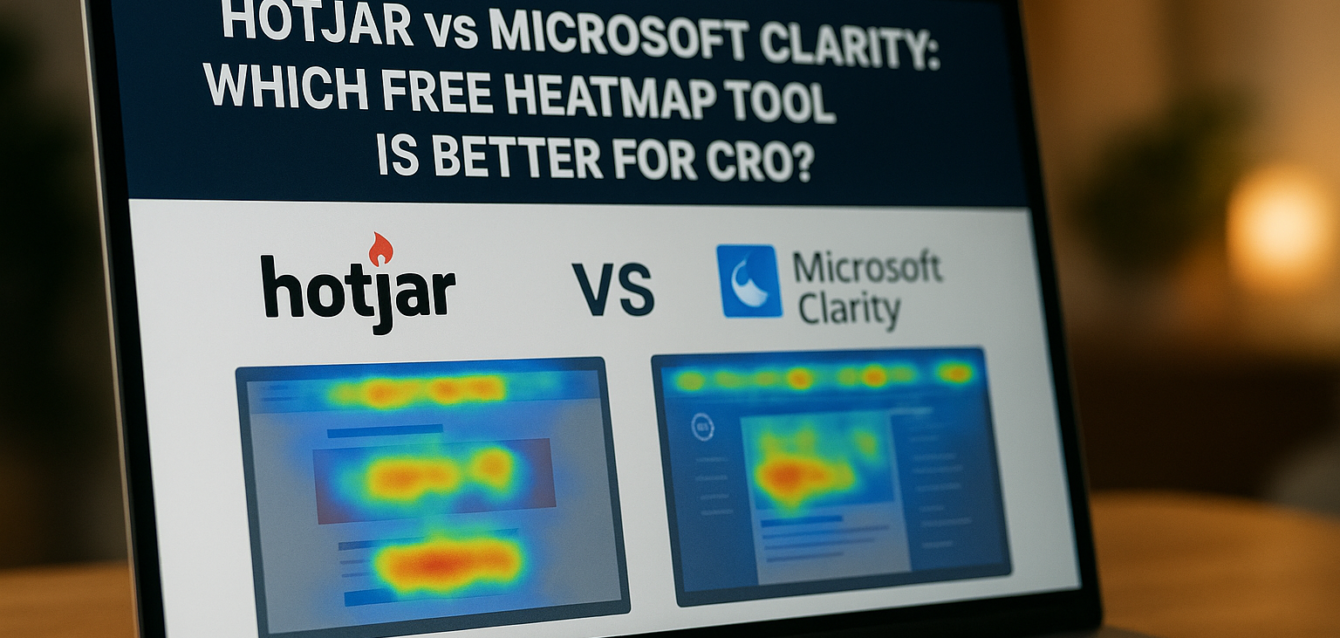
Hotjar vs Microsoft Clarity: Which Free Heatmap Tool Is Better for CRO?
When comparing Hotjar vs Microsoft Clarity, Microsoft Clarity is usually the better free heatmap tool for beginners because it offers free heatmaps, session recordings, and no traffic limits. Hotjar is better for agencies and research-heavy CRO teams that need stronger feedback tools, surveys, and structured user insight workflows.
That does not mean one tool is “best” for every landing page. If you are trying to find why users miss your call to action, stop scrolling above the fold, abandon a lead generation form, or rage-click a broken element, Microsoft Clarity is often enough. If you also want user feedback, surveys, and deeper qualitative research, Hotjar may be the better fit.
In our audits of 200+ landing pages, we have found that heatmap tools work best after a page has already been reviewed for obvious CRO issues. Before installing either script, run a free CRO audit to check headline clarity, CTA visibility, page speed, trust signals, mobile optimization, form friction, and conversion funnel issues.
This guide compares Hotjar vs Microsoft Clarity across features, free tier limits, ease of setup, privacy, Shopify and WordPress compatibility, CRO use cases, and final verdicts.
What Are Hotjar and Microsoft Clarity?
Hotjar and Microsoft Clarity are behavior analytics tools that help you understand how visitors interact with a website or landing page through heatmaps, scroll maps, click maps, and session recordings.
Both tools help answer questions that Google Analytics 4 cannot fully answer on its own. GA4 can show that your landing page conversion rate is low. A heatmap or session recording tool can show whether visitors miss your CTA, stop before social proof, click non-clickable elements, abandon a form field, or struggle with mobile UX.
Microsoft Clarity describes itself as a free user behavior analytics tool with session replays and heatmaps, and Microsoft states that Clarity is free forever with no traffic limits. Hotjar, now part of Contentsquare, offers heatmaps, recordings, surveys, and feedback tools to help teams understand user behavior and improve digital experiences.
The core difference is simple: Clarity is stronger as a free behavior analytics tool, while Hotjar is stronger as a research and feedback platform.
For CRO, that distinction matters. A landing page optimization team may need free click maps and session recordings first. An agency may need heatmap data plus survey responses, stakeholder-friendly insights, and user feedback loops. Both tools can support A/B testing, split testing, multivariate testing, headline testing, CTA testing, and mobile optimization, but they play different roles in the CRO stack.
Hotjar vs Microsoft Clarity: Quick Verdict
Microsoft Clarity is the better free heatmap tool for most beginners, while Hotjar is better for teams that need feedback, surveys, and a more research-led CRO workflow.
Choose Microsoft Clarity if you want a free tool to watch session recordings, check scroll depth, find dead clicks, spot rage clicks, and review user behavior without worrying about traffic limits. It is a strong fit for founders, small teams, Shopify stores, WordPress landing pages, Unbounce pages, and marketers running their first CRO audit.
Choose Hotjar if your team needs more than behavior recording. Hotjar is a better fit when you want to combine heatmap analysis with feedback surveys, user sentiment, qualitative research, and team-friendly reporting. It is often a better match for agencies, product teams, UX teams, and mature CRO programs.
Pull-quote stat: In our analysis of 200+ landing pages, the biggest heatmap wins usually came from three patterns: missed CTAs, low-scroll trust signals, and form friction visible in session recordings.
The third option is to start with a conversion rate optimization tool before installing either platform. A CRO analyzer gives you a page-level diagnosis first, so your heatmap review has a clear purpose instead of becoming a random recording binge.
Hotjar vs Microsoft Clarity Features
Microsoft Clarity and Hotjar both offer heatmaps and session recordings, but Hotjar adds stronger feedback and survey features while Clarity focuses on free behavioral analytics at scale.
For landing page CRO, the most important features are not the most advanced ones. They are the ones that help you find conversion leaks quickly.
Microsoft Clarity Features
Microsoft Clarity gives you free heatmaps, session recordings, rage click detection, dead click detection, scroll behavior, click behavior, device filtering, and analytics integrations. Microsoft’s Clarity documentation describes it as a behavioral analysis tool that helps teams understand user experience and improve websites and apps.
For landing pages, Clarity is useful because it can show:
Whether users click the primary CTA
Whether users stop scrolling before trust signals
Whether mobile users miss the form
Whether visitors click non-clickable elements
Whether users rage-click broken or confusing areas
Whether Shopify shoppers hesitate near variants or add-to-cart buttons
Whether WordPress visitors abandon embedded forms
Whether Unbounce visitors interact with the hero section as expected
Clarity is especially helpful for beginner CRO because it gives fast answers without a paid plan decision. You can use it to review heatmap landing page CRO issues before spending money on testing tools.
Hotjar Features
Hotjar offers heatmaps, recordings, surveys, and feedback tools. Its heatmap product page says Hotjar helps teams see what grabs attention, what users miss, and where users get frustrated.
Hotjar is useful when you want to know both what users do and what they say. A session recording may show that users abandon the pricing section. A Hotjar survey can ask why. That combination is powerful for landing page optimization, especially when the conversion issue is tied to offer clarity, pricing doubt, trust, or user expectations.
Hotjar can help with:
Click maps
Scroll maps
Session recording review
Feedback widgets
Exit intent questions
User surveys
Qualitative research
Landing page UX review
CRO research presentation
For agencies, this is where Hotjar can beat Clarity. Clients often need a clear story behind the recommendation. Hotjar’s feedback and research workflows can help explain the “why” behind user behavior.
Free Tier Limits: Hotjar vs Microsoft Clarity
Microsoft Clarity is stronger for free usage because it has no traffic limits, while Hotjar’s free access is more limited and better suited for smaller sites or trial-style research.
Microsoft says Clarity is free forever and that users will not run into traffic limits or be forced to upgrade to a paid version. That makes Clarity one of the best free CRO tools for landing pages that already receive traffic from SEO, paid ads, email, Shopify campaigns, or social media.
Hotjar has a free starting option and promotes free signup, but the exact free limits can change by plan, product, and region. Its session-based pricing model means each site has a session rate based on the chosen Observe plan. For that reason, Hotjar Free is useful, but teams should confirm the current plan details before relying on it for a high-traffic landing page.
In practical terms, this is the difference:
Microsoft Clarity is better when you want to collect behavior data continuously without worrying about monthly session caps.
Hotjar is better when you want focused qualitative research, feedback, and surveys, even if you may eventually need a paid plan.
Quick-win fix: if you are just starting CRO, install Clarity first. If Clarity shows a repeated issue but you still do not understand why users hesitate, add Hotjar feedback or surveys for a short research sprint.
Ease of Setup: Which Tool Is Easier?
Microsoft Clarity is slightly easier for beginners because setup is simple, the tool is free, and there is less plan complexity. Hotjar is also easy to install, but teams need to think more carefully about which features and limits they need.
For most landing pages, setup follows the same pattern: create an account, add a tracking script, verify installation, wait for traffic, then review recordings and heatmaps.
Microsoft Clarity Setup
Clarity can be installed with a tracking code, tag manager, or platform integration. Microsoft also has Shopify-related resources, and Clarity appears in the Shopify App Store as a free behavior analytics option with session replays and heatmaps.
For WordPress, teams commonly install Clarity through a plugin or by adding the script through a tag manager or header script tool. For Shopify, the app route is usually easier. For Unbounce, you can add the script through the page or global script manager.
Clarity setup is best for:
Small teams
First-time CRO users
Landing pages with growing traffic
Shopify pages
WordPress pages
SaaS landing pages
Lead generation campaigns
Teams that want heatmap data quickly
Hotjar Setup
Hotjar setup is also straightforward. You install the tracking code, verify the site, and select the behavior or feedback features you want to use. Hotjar’s advantage is that it can combine heatmaps, recordings, and feedback workflows in one platform.
Hotjar setup is best for:
Agencies
UX researchers
CRO teams
Product marketing teams
Teams running surveys
Teams presenting insights to clients
Teams with multiple landing page experiments
Quick-win fix: whichever tool you install, create a simple naming system for your landing pages. Use campaign name, date, and page type so heatmap analysis does not become messy later.
For teams building landing pages from scratch, our landing page design service can include proper tracking setup, event naming, CTA tracking, and heatmap-ready page structure.
Data Privacy and Compliance
Both Hotjar and Microsoft Clarity require careful privacy setup because heatmaps and session recordings collect behavioral data from real users.
This is one of the most important parts of choosing a session recording tool. Heatmap tools can help CRO, but they must be configured responsibly. You should mask sensitive fields, respect consent requirements, update your privacy policy, and avoid collecting personal information you do not need.
Microsoft Clarity Privacy
Microsoft Clarity provides documentation for setup, features, and privacy-related configuration. It is built by Microsoft and integrates with common analytics stacks. For most teams, the key steps are to review Clarity’s privacy docs, configure masking, and make sure your privacy policy explains behavior analytics tracking.
Clarity is a strong option for teams that want a free tool from a major platform, but you still need internal privacy review. Free does not mean “no compliance work.”
Hotjar Privacy
Hotjar states that it prioritizes helping customers use Hotjar in a GDPR-compliant way and process collected data securely. Hotjar’s data safety documentation says it automatically suppresses keystroke data on input fields during recordings, with suppression handled client-side.
Hotjar is often attractive to agencies and UX teams because its privacy and feedback workflows are mature. Still, your team must configure suppression, consent, data retention, and internal access rules correctly.
Quick-win fix: before using either tool, check three things: form-field masking, consent-banner behavior, and whether your privacy policy names behavior analytics or session replay tracking.
For CRO, privacy is not a blocker. It is part of the setup.
WordPress Compatibility
Both Hotjar and Microsoft Clarity work well with WordPress, but Microsoft Clarity is usually the easier free starting point for basic heatmaps and recordings.
WordPress landing pages often use builders like Elementor, Divi, Gutenberg, or custom themes. They may also use form plugins, popup tools, caching plugins, and tracking scripts. That makes behavior analytics useful because plugin conflicts and mobile layout issues are common.
Use Microsoft Clarity on WordPress when you want:
Free heatmaps
Session recordings
Scroll behavior
Rage click detection
Dead click detection
CTA behavior review
Form friction review
Use Hotjar on WordPress when you want:
Heatmaps
Recordings
User surveys
Feedback widgets
Exit intent questions
Research workflows
For WordPress CRO, the bigger issue is usually not compatibility. It is page speed. Too many plugins, tracking scripts, pop-ups, and page builder add-ons can slow down a landing page. Use Google PageSpeed Insights alongside either tool to check Core Web Vitals, page speed, and mobile performance. Google’s PageSpeed Insights documentation says it reports user experience and diagnostics for mobile and desktop pages.
Quick-win fix: after installing Hotjar or Clarity, retest the page speed. A heatmap tool should help you improve conversions, not slow the page enough to hurt them.
Shopify Compatibility
Microsoft Clarity is often the better free heatmap tool for Shopify beginners, while Hotjar is useful when Shopify teams need feedback and more research depth.
Shopify landing page CRO usually focuses on product proof, add-to-cart behavior, variant selection, shipping reassurance, review placement, checkout friction, and mobile shopping flow. Heatmaps and session recordings can show where shoppers hesitate before purchase.
Microsoft Clarity has Shopify-specific resources and a Shopify App Store listing that positions it as a free user behavior tool with analytics, session replays, and heatmaps. That makes it a natural first pick for Shopify stores that want quick behavior visibility.
Hotjar can also work well for Shopify when you want:
Product page feedback
Exit intent surveys
Cart hesitation questions
Post-browse feedback
Heatmap analysis
Session recording review
Mobile ecommerce UX insights
For Shopify, the best CRO workflow is usually:
Run a free audit.
Install Clarity to capture behavior.
Review add-to-cart and checkout drop-off.
Add Hotjar feedback if behavior data shows hesitation but not the reason.
Run A/B testing on product proof, CTA copy, shipping reassurance, or page layout.
Quick-win fix: watch 20 mobile recordings from paid social traffic. Look for users missing the add-to-cart button, tapping product images, hesitating at variants, or scrolling to shipping and return details before buying.
CRO Use Cases: When to Use Each Tool
Microsoft Clarity is better for fast behavior diagnosis, while Hotjar is better for deeper user research and feedback-backed CRO strategy.
The right choice depends on the conversion problem.
Use Microsoft Clarity When You Need Fast Behavior Data
Use Clarity when your landing page has traffic, but you do not know where users get stuck. It is especially useful for:
Low CTA click-through rate
High bounce rate
Poor mobile conversion rate
Missed above the fold CTA
Form abandonment
Rage clicks
Dead clicks
Scroll depth issues
Shopify product page friction
WordPress form friction
Unbounce landing page testing
Clarity helps answer “what are users doing?”
Use Hotjar When You Need User Feedback
Use Hotjar when behavior data shows a problem, but you need the user’s own words to understand the reason. It is especially useful for:
Pricing hesitation
Unclear offer value
Low trust
Confusing page copy
Exit intent research
Product objections
Agency CRO audits
Qualitative landing page optimization
User research before redesigns
Hotjar helps answer “why are users doing this?”
Use Both When the Page Has Meaningful Traffic
For mature CRO programs, Hotjar and Clarity can work together. Clarity can capture broad behavior data. Hotjar can add surveys and feedback. Google Analytics 4 can measure key events and conversion funnel results. PageSpeed Insights can check technical friction. A/B testing tools can validate changes.
Quick-win fix: do not install both on every page by default. Start with the smallest stack that answers the current CRO question.
The Third Option: Start With a Free CRO Audit Tool
Before choosing Hotjar vs Microsoft Clarity, start with a free CRO audit tool to identify what you should be looking for.
A heatmap tool shows user behavior. It does not tell you whether your offer is clear, whether your landing page design is persuasive, whether your CTA copy is weak, or whether your trust signals are placed too low. That requires CRO judgment.
The Dreamer Designs CRO Analyzer helps review:
Headline clarity
Above the fold layout
CTA visibility
Trust signals
Social proof
Form friction
Page speed concerns
Mobile optimization
Conversion funnel gaps
Landing page optimization priorities
In our audits of 200+ landing pages, we have found that teams get better heatmap insights when they start with a clear hypothesis. For example, instead of watching random recordings, they ask, “Are users missing the CTA?” or “Do users reach the trust section?” or “Where do users abandon the form?”
Quick-win fix: run the free landing page audit first, then choose Clarity or Hotjar based on the top issue.
If the audit shows that the page needs more than tracking, work with a professional landing page team to rebuild the page around user intent, message match, proof, mobile UX, and a cleaner conversion path.
Hotjar vs Microsoft Clarity: Final Verdict
Microsoft Clarity is the best free heatmap tool for beginners, while Hotjar is the better choice for agencies and teams that need research, surveys, and qualitative feedback.
Choose Microsoft Clarity if you want a free CRO tool with heatmaps, session recordings, traffic-friendly usage, and fast setup. It is the better first choice for most small businesses, landing page owners, Shopify stores, WordPress sites, and marketers who want to see user behavior quickly.
Choose Hotjar if you want heatmaps plus feedback tools, surveys, and a more complete user research workflow. It is stronger for agencies, UX teams, CRO consultants, product teams, and companies that need to explain not only what users did, but why they did it.
Choose The Dreamer Designs CRO Analyzer first if you do not yet know what problem you are trying to solve. Heatmaps are more useful when they validate a specific CRO question.
For Unbounce pages, Clarity can diagnose behavior quickly, while Hotjar can support deeper research. If your team needs help building test-ready pages, our Unbounce specialist service can help structure variants for stronger message match, cleaner CTA flow, and better conversion tracking.
Common Mistakes When Comparing Hotjar vs Microsoft Clarity
The biggest mistake is choosing a heatmap tool before defining the CRO question you need to answer.
Tools are not strategy. If your landing page has a vague headline, hidden CTA, slow mobile load, weak trust signals, and a long form, either tool will show users struggling. The real value comes from knowing what to fix next.
Mistake 1: Picking Hotjar Only Because It Has More Features
More features do not always mean better CRO. If you only need heatmaps and recordings, Microsoft Clarity may be enough. Fix this by matching tool choice to your current use case.
Mistake 2: Choosing Clarity and Ignoring User Feedback
Clarity can show what happened, but not always why. If users stop at pricing, abandon forms, or hesitate near checkout, feedback can help. Fix this by adding Hotjar surveys when behavior data needs explanation.
Mistake 3: Reading Heatmaps Without GA4 Events
Clicks are not conversions. A busy heatmap can still mean confusion. Fix this by tracking CTA clicks, form starts, form submissions, add-to-cart events, purchases, and conversion rate in Google Analytics 4.
Mistake 4: Combining Mobile and Desktop Data
Mobile and desktop users behave differently. Fix this by reviewing separate recordings and heatmaps for each device before making page changes.
Mistake 5: Installing Both Tools Without Checking Speed
Every script can affect page speed. Fix this by testing your page with Google PageSpeed Insights before and after installing tracking tools.
Mistake 6: Forgetting Privacy Setup
Session recording tools need careful data masking and consent review. Fix this by checking suppression settings, consent tools, privacy policy language, and team access rules before collecting data.
Free Tools for Heatmap Landing Page CRO
The best CRO stack does not rely on one tool. It combines audit scoring, behavior analytics, speed testing, search data, and conversion tracking.
The Dreamer Designs CRO Analyzer should be your first step. Use the CRO analyzer to identify likely landing page conversion leaks before installing Hotjar or Microsoft Clarity.
Microsoft Clarity is best for free heatmaps and session recordings. It helps beginners see scroll depth, clicks, rage clicks, dead clicks, and user behavior without traffic-limit pressure.
Hotjar is best for heatmaps plus feedback. It helps agencies and CRO teams collect recordings, heatmaps, surveys, and user responses that explain behavior.
Google PageSpeed Insights helps check page speed, Core Web Vitals, and mobile performance. Use Google PageSpeed Insights before assuming behavior problems are only caused by copy or design.
Google Analytics 4 helps track conversion events, click-through rate, ecommerce conversion, form submissions, and conversion funnel drop-off.
Google Search Console helps organic landing pages connect search intent, impressions, clicks, and page experience signals. Use Google Search Console when your landing page receives SEO traffic.