
Free vs Paid CRO Tools: Is It Worth Paying for Conversion Optimization Software?
A CRO tools comparison should start with one rule: use free CRO tools until you know what conversion problem you are solving, then upgrade only when traffic, testing volume, revenue impact, or reporting needs justify the cost.
Most landing pages do not need paid conversion optimization software on day one. They need a clear audit, better headline clarity, stronger above the fold messaging, visible call to action, faster page speed, mobile optimization, trust signals, social proof, and lower form friction.
In our audits of 200+ landing pages, we have found that teams often buy paid CRO tools too early. They pay for dashboards, segmentation, multivariate testing, and revenue attribution before fixing the basic conversion funnel. Start with a free CRO audit first, then upgrade when the page has enough traffic and the business case is clear.
Our agency rule is simple: free tools are usually enough below 5,000 monthly landing page visitors. Paid CRO software starts making sense when a page or funnel exceeds 5,000 monthly visitors, has measurable conversion volume, and needs deeper testing, segmentation, or revenue reporting.
What Are Free and Paid CRO Tools?
Free CRO tools help you identify basic conversion issues without upfront software cost, while paid CRO tools add deeper analytics, advanced segmentation, A/B testing, revenue attribution, personalization, and team workflows.
Free CRO tools usually cover the first layer of landing page optimization. They help you answer questions like: Is the page clear? Is it fast? Do users click the CTA? Do they scroll far enough? Are mobile visitors struggling? Are search visitors finding the right page?
Paid CRO tools go deeper. They help you test segmented audiences, personalize experiences, track revenue impact, run multivariate testing, connect experiments to analytics, and manage optimization across teams.
Microsoft Clarity is a strong example of a free CRO tool because Microsoft describes it as a free user behavior analytics platform with session replays and heatmaps, and its pricing page says it is free forever with no traffic limits. Microsoft Clarity is useful for heatmap landing page CRO, session recording review, rage clicks, dead clicks, and user behavior analysis.
Hotjar sits closer to the “free plus paid upgrade” model. Hotjar says its current free access includes 20k sessions and 100 feedback responses, while its platform includes heatmaps, recordings, surveys, feedback, and funnels. Hotjar is useful when you need both behavior data and feedback from users.
Paid tools like VWO, Convert, and Optimizely become more valuable when you need structured A/B testing, split testing, multivariate testing, advanced targeting, personalization, and experiment governance. VWO describes flexible pay-per-need platform pricing, Convert lists paid plans for A/B testing, and Optimizely’s documentation describes multivariate tests for Web Experimentation.
For most teams, the smartest first move is not buying software. It is using a conversion rate optimization tool to identify what needs fixing before adding more data.
The Dreamer Designs Free-to-Paid CRO Tool Decision Framework
The Dreamer Designs Free-to-Paid CRO Tool Decision Framework helps you decide when free CRO tools are enough and when paid CRO software is worth it.
The framework is built around one idea: pay for CRO software only when the extra insight or testing power can create more value than it costs.
Use free CRO tools when:
Your landing page has under 5,000 monthly visitors
You are still fixing obvious page issues
You do not have enough conversions for reliable A/B testing
You need heatmaps, session recordings, speed checks, and basic analytics
You are validating message match, CTA visibility, mobile UX, and form friction
Your team does not yet have a testing calendar
Consider paid CRO tools when:
Your page or funnel exceeds 5,000 monthly visitors
You have enough conversions to run meaningful tests
You need advanced audience segmentation
You need revenue attribution by variant
You need multivariate testing
You need personalization
You need experiment governance for a team
You need integrations with ecommerce, CRM, analytics, or product data
Pull-quote stat: In our analysis of 200+ landing pages, we found that teams usually got more lift from fixing message clarity, CTA hierarchy, page speed, and trust placement than from upgrading to paid CRO software too early.
For pages with structural issues, software will only reveal the problem faster. A professional landing page built around CRO fundamentals can outperform a weak page loaded with premium analytics tools.
What Free CRO Tools Cover
Free CRO tools cover the basics of conversion diagnosis: audit scoring, heatmaps, session recordings, speed testing, mobile UX checks, analytics events, search performance, and user behavior patterns.
Free tools are best for finding obvious conversion leaks. They help you move from “we think the page is fine” to “we can see users are missing the CTA, dropping before proof, or abandoning the form.”
Free CRO Audits
A free CRO audit is the best first step because it reviews the page before you collect more data. It helps you find weak headlines, unclear above the fold layouts, low CTA visibility, missing trust signals, poor mobile optimization, and form friction.
The Dreamer Designs CRO Analyzer is the best free starting point because it focuses on landing page conversion, not just technical SEO or speed. Use the CRO analyzer before installing more scripts or paying for testing software.
Heatmaps and Session Recordings
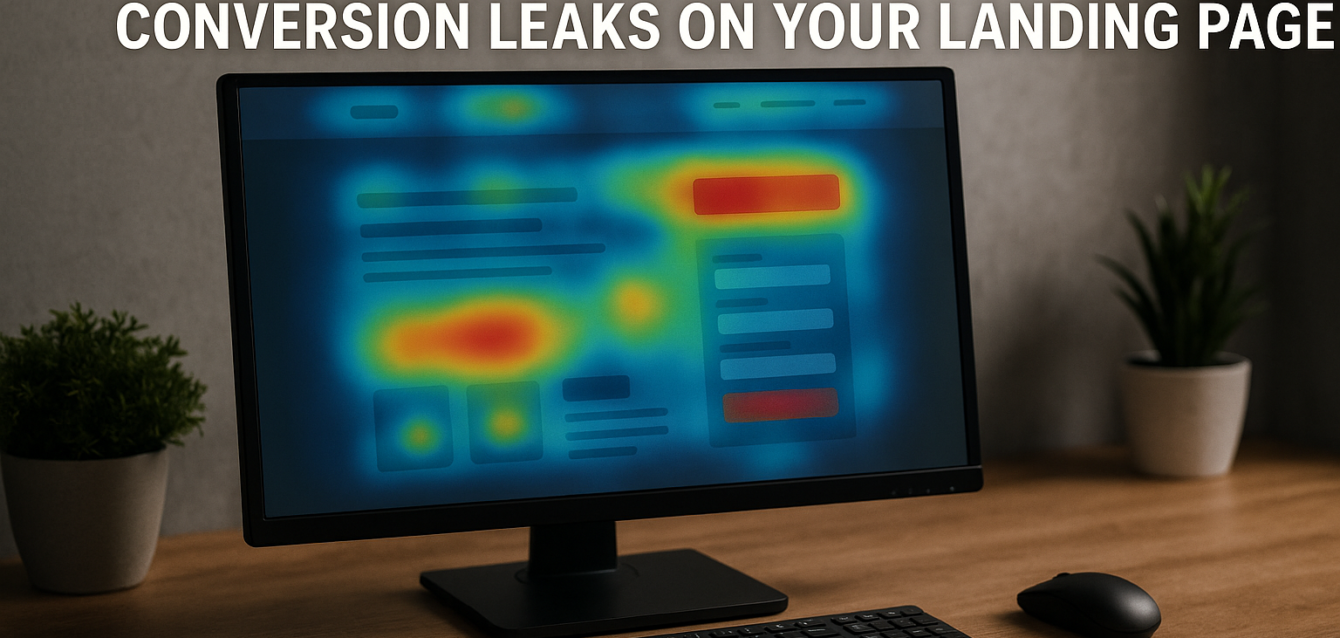
Heatmaps and session recordings show what users do on the page. Microsoft Clarity covers this well for free with heatmaps and session replays. Clarity is especially useful for spotting rage clicks, dead clicks, missed CTAs, scroll drop-off, and mobile UX issues.
Hotjar also offers heatmaps and recordings, plus feedback tools. The free tier can be useful for smaller landing pages or short research sprints, while paid plans are better when you need more sessions, stronger filters, and deeper feedback workflows.
Page Speed and Core Web Vitals
Google PageSpeed Insights is one of the best free CRO tools because page speed affects whether users see your offer at all. Slow hero images, heavy apps, render-blocking scripts, layout shift, and delayed buttons can hurt landing page conversion rate before copy has a chance to work.
Use it on Shopify, WordPress, Unbounce, and custom landing pages before launching paid traffic.
Search and Query Intent
Google Search Console is useful when a landing page gets organic traffic. It helps you compare search queries with the page headline, meta description, click-through rate, and page experience signals.
If a page ranks for “free CRO tools” but opens with a hard sell for agency services, the mismatch can increase bounce rate and reduce conversions.
Basic Analytics and Events
Google Analytics 4 helps track events, conversions, traffic sources, and funnel movement. It does not replace heatmaps or A/B testing tools, but it helps connect user behavior to measurable outcomes like form submissions, add-to-cart events, purchases, and lead quality.
Free tools are enough when your main CRO questions are still basic: “Is the page clear?”, “Do users see the CTA?”, “Is mobile broken?”, “Is the page slow?”, and “Where do people drop off?”
What Paid CRO Tools Add
Paid CRO tools add more depth, control, testing power, and reporting than free tools can usually provide.
Paid software becomes useful when the conversion problem is no longer obvious. Once the page has clear messaging, strong proof, solid page speed, mobile-friendly UX, and reliable tracking, paid tools can help optimize smaller differences at scale.
Advanced Segmentation
Advanced segmentation lets you analyze and test users by behavior, source, device, campaign, geography, customer type, funnel stage, or purchase history.
This matters because not all visitors need the same landing page. Paid search users may need message match. Returning visitors may need proof. Shopify buyers may need shipping reassurance. SaaS prospects may need demo vs free trial clarity.
Free tools may show broad behavior. Paid tools help you ask sharper questions: “How do mobile paid social users behave compared with desktop branded search visitors?” or “Do returning visitors respond better to a shorter form?”
Revenue Attribution
Revenue attribution connects CRO changes to money, not just clicks.
A CTA test that increases form submissions may still lower lead quality. A Shopify test that increases add-to-cart rate may not improve purchase rate. A SaaS test that increases free trials may not improve paid activation.
Paid CRO software can help connect experiments to revenue, average order value, customer segments, subscription signups, pipeline quality, or ecommerce conversion.
This is where paying becomes easier to justify. If one test can increase monthly revenue by more than the software cost, the tool has a clear business case.
Multivariate Testing
Multivariate testing compares several page elements at once to find which combination performs best.
Optimizely explains that multivariate tests let teams change several site elements and determine which combinations perform best. This can be powerful, but it needs more traffic than a simple A/B test.
For most landing pages, start with A/B testing before multivariate testing. Test the headline, CTA copy, hero image, proof placement, or form length one at a time. Move into multivariate testing only when your traffic and conversion volume can support it.
Personalization
Personalization changes the page experience based on audience attributes or behavior.
This can be useful for SaaS, ecommerce, lead generation, and account-based marketing. A first-time visitor might see educational proof, while a returning visitor sees a demo CTA. A Shopify visitor from a cold Meta ad might see a problem-led product story, while a branded search visitor sees price, reviews, and shipping clarity faster.
Personalization is powerful, but it can become messy without clear rules. Paid tools help manage targeting, experiments, and reporting.
Team Workflows and Governance
Paid CRO platforms also add practical team features: experiment calendars, approvals, QA workflows, user permissions, reporting dashboards, integrations, and documentation.
This matters when CRO becomes a team process instead of one marketer testing button copy. Agencies, ecommerce teams, SaaS teams, and enterprise marketing teams often need governance so tests do not overlap or corrupt data.
For Unbounce pages, paid features may be worth it when your team runs repeated campaigns and wants cleaner variants, traffic allocation, and conversion tracking. Our Unbounce specialist team can help set up pages and testing workflows that avoid messy experiment data.
When Free CRO Tools Are Enough
Free CRO tools are enough when your landing page is still in the early optimization stage or does not have enough traffic for reliable testing.
If your page receives fewer than 5,000 visits per month, paid tools often create more noise than clarity. You may not have enough conversions to trust a small test. Instead, focus on high-confidence CRO fixes based on audit findings, heatmap behavior, session recordings, page speed, and mobile review.
Free tools are usually enough when:
The headline is unclear
The CTA is hidden or generic
The page is slow
Mobile UX is weak
The form is too long
Trust signals are missing
Users do not scroll far enough
Visitors click non-clickable elements
You are not tracking events correctly
You have not defined one primary conversion goal
In these cases, paid CRO software is not the bottleneck. The page fundamentals are.
Quick-win fix: before buying anything, run a free audit, review mobile behavior in Clarity, test the page in PageSpeed Insights, and confirm events in GA4. Then fix the highest-impact issue first.
For Shopify, that may mean moving reviews higher, clarifying shipping, and reducing checkout friction. For WordPress, it may mean reducing plugin bloat, improving form layout, and speeding up mobile load. For lead generation, it may mean rewriting the CTA and reducing form fields.
When Paid CRO Software Is Worth It
Paid CRO software is worth it when the page has enough traffic, enough conversions, and enough business value to justify deeper testing and reporting.
Our agency threshold is 5,000 monthly landing page visitors as the first serious upgrade checkpoint. That does not mean every page over 5,000 visitors needs paid software. It means the page may now have enough traffic to support better testing and analysis.
Paid CRO software is worth considering when:
You have 5,000+ monthly visitors on key landing pages
You have steady conversion volume
You run paid campaigns with meaningful spend
You need revenue attribution by experiment
You need audience segmentation
You need multivariate testing
You need personalization
You need ecommerce funnel tracking
You manage multiple landing pages or experiments
You need client or executive reporting
You can calculate return on investment
Paid software makes the most sense when a small lift is worth real money. If a landing page drives $50,000 per month in revenue, a 5% lift could be worth $2,500 per month. In that case, a paid CRO tool may be easy to justify.
If a page drives 200 visits and 2 conversions per month, paid software will not magically create clean test results. You are better off improving the page based on expert review and user behavior patterns.
Free vs Paid CRO Tools by Use Case
The right CRO tool depends on your use case, not the longest feature list.
For a new landing page, use free tools first. Start with The Dreamer Designs CRO Analyzer, Google PageSpeed Insights, Microsoft Clarity, and GA4. Fix clarity, speed, CTA visibility, and mobile UX before testing.
For a lead generation page under 5,000 monthly visitors, free tools are usually enough. Use audit scoring, heatmaps, session recordings, and form tracking. Test bigger changes manually if needed.
For a Shopify store with growing sales, free tools can diagnose early issues, but paid tools may become useful once you need revenue attribution, product segmentation, checkout analysis, or A/B testing across offers.
For a SaaS website with trial or demo traffic, paid tools can make sense when you need segment-specific experiments, activation tracking, personalization, and CRM-connected lead quality analysis.
For an agency managing multiple clients, paid CRO tools can be worth it because they save time, improve reporting, standardize workflows, and support repeated experiments.
For enterprise teams, paid platforms are usually necessary because they need governance, QA, permissions, experiment history, multivariate testing, advanced targeting, and reliable analytics integrations.
For most small businesses, the smarter path is to start free, prove the page can convert, then upgrade only when the numbers justify it.
Common Mistakes in CRO Tools Comparison
The biggest mistake in any CRO tools comparison is comparing software features before defining the conversion problem.
The right question is not “Which tool has the most features?” The right question is “Which tool helps us make the next better conversion decision?”
Mistake 1: Paying Before Fixing Obvious Issues
Teams often buy paid CRO software when the headline is vague, the CTA is hidden, or mobile UX is broken. Fix this by running a free landing page audit first and solving basic friction before paying for advanced tools.
Mistake 2: Confusing More Data With Better Decisions
More dashboards can create more confusion. Fix this by choosing one primary conversion goal and one CRO question at a time.
Mistake 3: Running A/B Tests With Too Little Traffic
Low-traffic pages produce noisy test results. Fix this by using free tools and expert review until traffic and conversions are high enough for reliable testing.
Mistake 4: Ignoring Revenue Quality
A test that increases leads but lowers lead quality is not a win. Fix this by tracking revenue, pipeline quality, ecommerce conversion, average order value, or sales-qualified leads.
Mistake 5: Buying Tools Without Team Ownership
Paid CRO tools need someone to use them. Fix this by assigning ownership for audits, heatmap review, A/B testing, reporting, and implementation.
Mistake 6: Skipping Page Speed Checks
CRO scripts can slow a landing page if you install too many tools. Fix this by testing your page with PageSpeed Insights before and after adding heatmaps, pop-ups, testing scripts, and analytics tags.
Free Tools to Start With Before Paying
The best free CRO stack gives you audit insight, behavior data, speed checks, search visibility, and conversion tracking.
The Dreamer Designs CRO Analyzer should be your first step. Use the CRO analyzer to identify headline, CTA, layout, trust, mobile, and form issues before paying for software.
Microsoft Clarity is best for free heatmaps and session recordings. Use it to review user behavior, scroll depth, rage clicks, dead clicks, and mobile friction.
Google PageSpeed Insights is best for page speed and Core Web Vitals. Use Google PageSpeed Insights to check whether slow loading or layout shift is hurting conversions.
Google Analytics 4 is best for event and conversion tracking. Use it to measure form submissions, CTA clicks, purchases, add-to-cart actions, and funnel movement.
Google Search Console is best for organic landing pages. Use Google Search Console to compare query intent, impressions, clicks, and page experience signals.
Hotjar Free is useful when you want heatmaps, recordings, feedback, and surveys in one workflow. Use it when user behavior needs explanation in the visitor’s own words.