
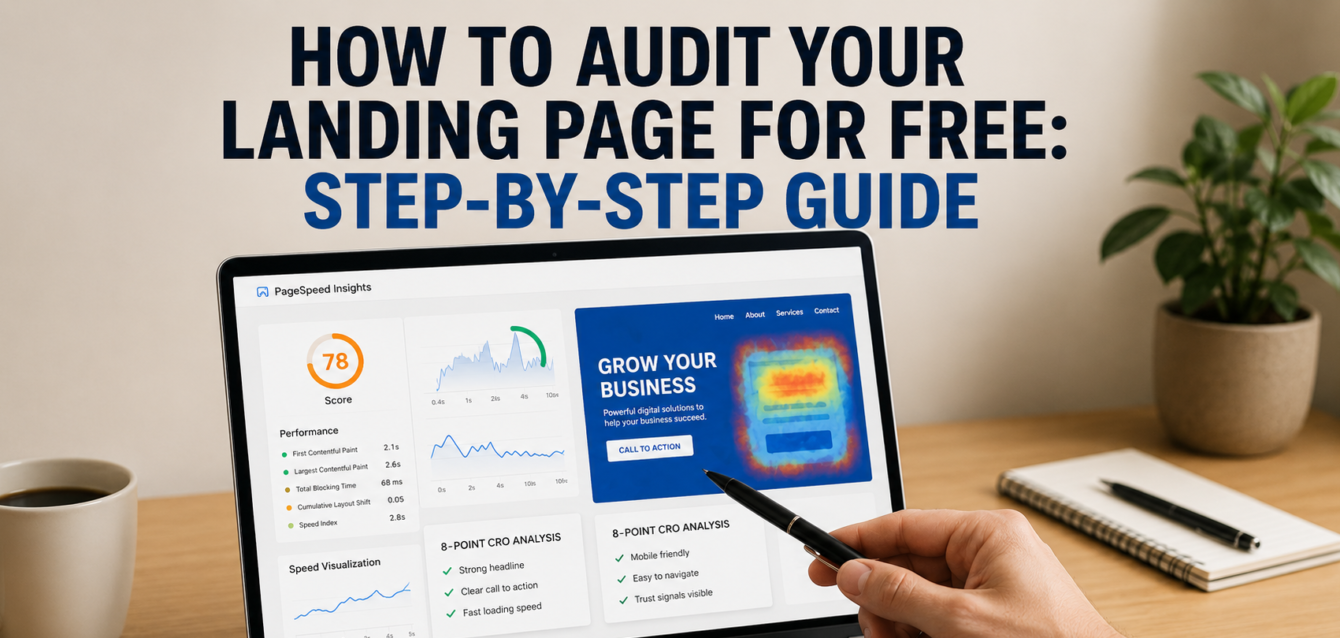
How to Audit Your Landing Page for Free: Step-by-Step Guide
A free landing page audit helps you find the conversion leaks that stop visitors from becoming leads, buyers, or booked calls. To audit your landing page for free, review your headline clarity, above-the-fold layout, CTA visibility, page speed, mobile UX, trust signals, form friction, and heatmap behavior before you start A/B testing.
Most landing pages do not fail because of one big mistake. They fail because of small issues stacking up: a vague headline, a slow hero image, weak social proof, a hidden call to action, or a form that asks for too much too soon. In our audits of 200+ landing pages, we have found that the highest-impact fixes are usually visible within the first 10 minutes of review.
This guide walks you through The Dreamer Designs 8-Point CRO Audit Framework, the same simple structure we use to diagnose landing page optimization issues for service businesses, SaaS teams, Shopify brands, WordPress sites, and Unbounce campaigns.
Before you begin, you can also run a free landing page audit to get a quick CRO score and identify your biggest conversion gaps.
What Is a Free Landing Page Audit?
A free landing page audit is a structured review of one page to find issues that reduce conversions, such as unclear messaging, slow page speed, weak CTA placement, poor mobile optimization, missing trust signals, and form friction.
Unlike a full website audit, a landing page audit focuses on one conversion goal. That goal might be a lead generation form submission, booked demo, ecommerce conversion, free trial signup, quote request, webinar registration, or click-through rate to the next step in the conversion funnel.
A website audit usually checks SEO, technical health, crawlability, backlinks, indexation, and site-wide performance. A landing page audit is narrower and more action-focused. It asks one question: “What is stopping this visitor from taking the next step?”
According to Google, Core Web Vitals measure real-world user experience for loading performance, interactivity, and visual stability, which makes them useful for diagnosing landing page performance issues. You can test these signals with Google PageSpeed Insights and monitor them in Google Search Console.
A good audit should combine three types of review:
Message review: Does the page clearly explain the offer?
UX review: Can users see, trust, and complete the action?
Behavior review: Do heatmap and session recording tools show where users hesitate?
In our analysis of 200+ landing pages, we found that pages with a clear above-the-fold headline, visible CTA, and proof element near the hero section were more likely to produce a measurable lift after the first round of CRO fixes.
The Dreamer Designs 8-Point CRO Audit Framework
The Dreamer Designs 8-Point CRO Audit Framework is a free landing page audit checklist that reviews the eight elements most likely to affect conversion rate: headline clarity, above-the-fold layout, CTA visibility, page speed, mobile UX, trust signals, form friction, and heatmap setup.
Use this framework before redesigning the page. Many landing pages do not need a full rebuild. They need better message match, clearer hierarchy, cleaner mobile spacing, stronger trust signals, and fewer distractions.
1. Audit Headline Clarity
Your headline should tell visitors what you offer, who it is for, and why it matters within five seconds.
Start your free landing page audit by reading only the headline and subheadline. Hide the rest of the page if needed. Ask: “Would a cold visitor understand the offer without scrolling?” If not, the headline is too clever, too vague, or too company-focused.
A strong landing page headline usually includes:
The main outcome
The target audience
The product, service, or offer
A clear reason to keep reading
Weak headline: “Growth Starts Here.”
Better headline: “Get More Qualified Demo Calls From Your SaaS Landing Page.”
Message match also matters. If your ad says “free CRO audit,” but the landing page says “digital growth solutions,” users feel a disconnect. That mismatch can hurt bounce rate and click-through rate because visitors do not see the promise they clicked for.
Quick-win tip: rewrite your headline using this formula: “Get [desired outcome] without [main pain point].”
For a deeper review, compare your headline against your ad copy, email subject line, or organic search query before using a conversion rate optimization tool to score the full page.
2. Audit the Above-the-Fold Layout
Your above-the-fold section should answer the visitor’s first three questions: “Am I in the right place?”, “Why should I care?”, and “What should I do next?”
The fold is not a fixed pixel line anymore because screen sizes vary, but the first visible screen still matters. It sets expectations and guides user behavior. In our CRO audits, we often see landing pages use the hero area for oversized images, vague copy, or decorative graphics while hiding the offer and CTA below the fold.
A strong above-the-fold layout includes:
A benefit-driven headline
A supporting subheadline
One primary call to action
One trust signal
A relevant product, service, or outcome visual
Avoid stuffing the hero with too many competing messages. One landing page should have one core promise. If visitors see a menu, two CTAs, three badges, a video, a pop-up, and a rotating carousel, they may not know where to focus.
Quick-win tip: take a screenshot of your landing page on desktop and mobile. Blur it slightly. The CTA, headline, and main visual should still be obvious.
This is especially important for Shopify and WordPress landing pages because themes often add navigation, announcement bars, widgets, and app blocks that compete with the conversion goal.
3. Audit CTA Visibility and Copy
Your CTA should be visible, specific, and tied to the value the visitor wants.
A call to action is not just a button. It is the moment where the page asks for commitment. If the CTA is hidden, generic, low contrast, or unclear, users may understand the offer but still fail to act.
During your free landing page audit, check three things:
Is the CTA visible above the fold?
Does the button copy describe the next step?
Is the CTA repeated at natural decision points?
Generic CTA copy like “Submit,” “Learn More,” or “Get Started” can work, but it often lacks context. Better CTA copy reduces uncertainty. For example, “Get My Free Audit,” “Book a 15-Minute Call,” or “See My CRO Score” tells users what happens next.
HubSpot’s CTA reporting guidance focuses on analyzing views and clicks so marketers can identify which CTAs receive engagement. That same principle applies during a manual audit: if people see the CTA but do not click, the issue may be copy, offer strength, or trust.
Quick-win tip: add one CTA in the hero, one after your proof section, and one near the final objection-handling section. Keep the wording consistent unless you are running split testing.
For pages built in Unbounce, CTA placement and variant testing are often easier to manage. If your team needs support, work with an Unbounce specialist to tighten layout, message match, and conversion tracking.
4. Audit Page Speed With Google PageSpeed Insights
Page speed should be tested on both mobile and desktop because slow load time can damage user experience before visitors read a single word.
Run your URL through Google PageSpeed Insights. Google’s documentation says PageSpeed Insights reports on user experience for both mobile and desktop and provides suggestions to improve the page.
Focus on the practical fixes first. You do not need a perfect score to improve conversion rate. You need to remove the speed issues that users actually feel.
Common landing page speed problems include:
Oversized hero images
Too many third-party scripts
Heavy video embeds
Unused app code
Slow fonts
Bloated page builders
Poor mobile image handling
Core web vitals matter because they reflect loading, interactivity, and layout stability. If your CTA jumps while the page loads, or your hero image delays the first impression, users may leave before engaging.
Quick-win tip: compress the hero image, lazy-load lower-page visuals, remove unused tracking scripts, and test again. For Shopify, review installed apps. For WordPress, review plugins and page builder add-ons.
5. Audit Mobile UX
Mobile UX should be reviewed separately because a page that looks clear on desktop can feel crowded, slow, or hard to use on a phone.
Open your landing page on a real phone, not just a browser resize tool. Scroll from top to bottom and watch for spacing, font size, button size, image cropping, sticky bars, pop-ups, and form usability.
Mobile optimization issues often include:
CTA buttons too low on the page
Tiny text
Form fields that are hard to tap
Hero images pushing copy down
Sticky headers covering content
Pop-ups blocking the offer
Slow-loading product images
Mobile visitors are often less patient because they may be multitasking, comparing offers, or coming from social ads. A strong mobile layout keeps the conversion path short. It also avoids asking for too much information too early.
Quick-win tip: make your primary CTA visible within the first mobile screen. If your page is long, use a sticky CTA only when it does not block content or create visual noise.
If the audit shows structural layout issues, a professional landing page can help rebuild the page around mobile-first conversion behavior instead of forcing a desktop design into a smaller screen.
6. Audit Trust Signals and Social Proof
Trust signals reduce perceived risk by showing visitors that your offer is credible, safe, and proven.
Most landing pages ask for something: an email address, phone number, credit card, consultation request, or purchase. Visitors need reasons to believe the promise before they act. That is why social proof should appear before major decision points, not only at the bottom of the page.
Strong trust signals include:
Customer testimonials
Review ratings
Client logos
Case study results
Security badges
Media mentions
Before-and-after examples
Guarantees
Founder or team credibility
Clear privacy reassurance near forms
The best proof matches the offer. A SaaS free trial page may need product screenshots, G2-style review snippets, and usage numbers. An ecommerce conversion page may need reviews, return policy details, shipping clarity, and payment trust badges. A lead generation page may need case studies, certifications, and clear next-step expectations.
Quick-win tip: place one proof element near the hero CTA and another near the form. Do not make users scroll to the bottom to find credibility.
Pull-quote stat: In our audits of 200+ landing pages, we found that missing or poorly placed trust signals were one of the top three recurring issues on low-converting lead generation pages.
7. Audit Form Friction
Form friction happens when your form asks for more effort, information, or trust than the offer deserves.
A form is where conversion intent becomes measurable. Small points of friction can reduce completion rate, especially on mobile. During your free landing page audit, count every field and ask whether each one is truly needed at this stage.
High-friction form elements include:
Too many required fields
Asking for phone number too early
Dropdowns with too many options
Unclear error messages
No privacy reassurance
Multi-step forms without progress cues
CAPTCHA issues
Poor keyboard behavior on mobile
The form should match the value of the offer. A free checklist should not ask for company revenue, phone number, job title, and budget. A high-ticket consultation form can ask more because the value exchange is higher.
Quick-win tip: remove one required field and track the change. If lead quality drops, add a qualifying question later in the funnel instead of blocking the first conversion.
For A/B testing, test form length only after fixing headline clarity and CTA copy. Form tests work best when the offer and traffic quality are already strong.
8. Set Up Heatmaps and Session Recordings
Heatmaps and session recordings show what users actually do on the page, which helps validate your audit findings.
Manual review tells you what might be wrong. Behavior tools show what users are doing. Microsoft Clarity describes itself as a free user behavior analytics tool with session replays and heatmaps, and its documentation includes sections for both heatmaps and session recordings.
Set up a heatmap tool after you complete the first seven audit steps. Then review:
Where users click
How far users scroll
Whether users rage-click
Where users hesitate
Whether users miss the CTA
Whether mobile users abandon the form
Whether users interact with non-clickable elements
You can also use Microsoft Clarity or Hotjar to watch session recording patterns. Do not overreact to one recording. Look for repeated behavior across multiple sessions.
Quick-win tip: if users click a non-clickable image, icon, testimonial, or pricing card, either make it clickable or change the design so it does not look interactive.
Common Free Landing Page Audit Mistakes
The most common landing page audit mistake is judging the page by opinion instead of user behavior, conversion data, and clear CRO principles.
A strong audit should not become a design preference debate. It should connect every recommendation to user intent, conversion funnel friction, or measurable business impact.
Mistake 1: Starting With Design Instead of Message
This happens when teams judge whether a page “looks good” before asking whether it communicates clearly. A beautiful page with a vague offer will still underperform. Fix the headline, subheadline, message match, and CTA copy before changing colors or illustrations.
Mistake 2: Ignoring Mobile Behavior
Many teams review landing pages on desktop because that is where they work. But users may arrive from mobile search, social ads, or email. Always audit mobile UX separately and test real form completion on a phone.
Mistake 3: Chasing a Perfect PageSpeed Score
A perfect score is not the goal. A faster, smoother user experience is the goal. Prioritize fixes that improve perceived load time, reduce layout shift, and make the page usable sooner.
Mistake 4: Adding More Social Proof Without Strategy
More testimonials do not always mean more trust. Proof should be specific, relevant, and near the decision point. A short testimonial beside a CTA can outperform a long testimonial wall buried near the footer.
Mistake 5: Testing Too Many Things at Once
A/B testing, split testing, and multivariate testing only work when you know what changed. If you rewrite the headline, change the CTA, redesign the hero, remove fields, and add testimonials at the same time, you may get a lift but not know why.
Run a free CRO audit first, then prioritize fixes based on impact and effort.
Free Tools to Audit Your Landing Page
The best free tools for a landing page audit help you evaluate CRO issues from multiple angles: page clarity, speed, mobile usability, user behavior, and search performance.
Start with The Dreamer Designs CRO Analyzer. The CRO analyzer gives you a fast, conversion-focused review of your landing page so you can identify obvious friction before installing analytics tools or running experiments.
Google PageSpeed Insights helps you check mobile and desktop performance, page speed, and Core Web Vitals signals. Use it when you suspect slow load time, image bloat, or layout instability.
Google Search Console helps you monitor Core Web Vitals and search performance. Use it when your landing page receives organic traffic or supports SEO campaigns.
Microsoft Clarity gives you free heatmaps and session recordings. It is useful for understanding scroll depth, rage clicks, dead clicks, and user behavior patterns.
Hotjar is another popular heatmap and behavior analytics platform. It can help teams collect qualitative insights through recordings, heatmaps, and feedback tools.
Google Analytics 4 helps track conversion events, traffic sources, engagement, and funnel movement. Use it to connect landing page behavior to actual business outcomes.