
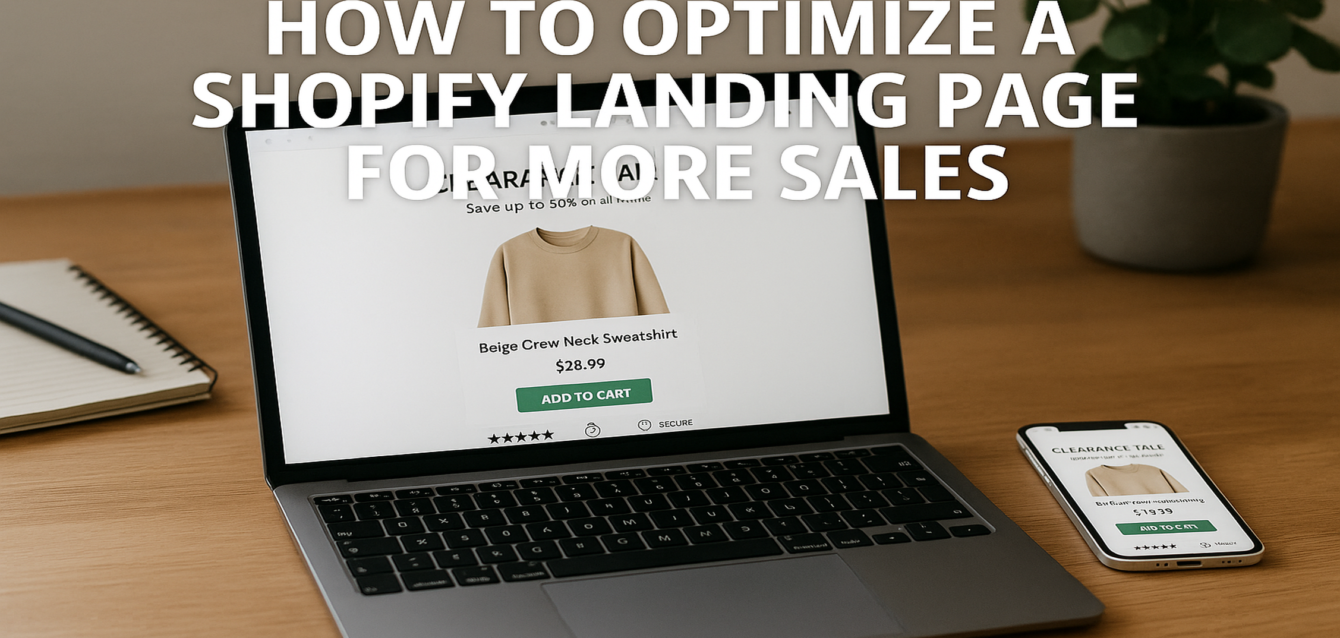
How to Optimize a Shopify Landing Page for More Sales
Shopify landing page optimization means improving one campaign or product-focused page so more visitors buy, add to cart, join your list, or move deeper into the checkout flow. The fastest way to optimize a Shopify landing page is to clarify the offer, improve product proof, make the CTA easier to tap, reduce checkout friction, and design the page for mobile-first shopping behavior.
Most Shopify stores do not have a traffic problem first. They have a conversion funnel problem. Paid ads bring shoppers in, but weak headlines, slow product media, unclear shipping details, missing trust signals, and form friction push buyers away before checkout.
In our audits of 200+ landing pages, we have found that Shopify pages often leak sales because they look like product catalogs instead of focused sales paths. Before rebuilding your store, run a free CRO audit to see which page elements are hurting ecommerce conversion.
This guide uses The Dreamer Designs 8-Point Shopify CRO Framework to show how to improve your page structure, product proof, CTA placement, app stack, mobile optimization, and checkout experience.
What Is Shopify Landing Page Optimization?
Shopify landing page optimization is the process of improving a Shopify page so more visitors complete a sales-focused action, such as buying a product, adding to cart, starting checkout, joining an email list, or claiming an offer.
A Shopify landing page is not always the same thing as a product page. A product page is usually part of your main Shopify store catalog. It may include product details, variants, reviews, related products, navigation, and standard theme sections. A dedicated landing page is usually built for one campaign, one product, one bundle, one audience, or one traffic source.
That difference matters. A product page helps shoppers browse. A dedicated landing page helps shoppers decide.
Shopify itself emphasizes that mobile optimization is not just shrinking a desktop layout. It requires rethinking navigation, load time, forms, touch interactions, and content hierarchy for mobile behavior. That is critical because many Shopify buyers come from mobile search, social ads, TikTok, Instagram, YouTube, and email campaigns.
Shopify landing page optimization should focus on:
Strong message match from ad to page
Clear product value above the fold
Visible add-to-cart or buy button
Fast page speed and Core Web Vitals
Product reviews and social proof
Trust badges near decision points
Mobile-first design
Reduced checkout friction
Heatmap and session recording insights
A/B testing for high-impact elements
According to Shopify’s app marketplace, marketing and conversion apps are a major category for merchants, which reflects how much ecommerce brands rely on apps to improve sales, retention, and customer engagement.
Product Page vs. Dedicated Shopify Landing Page
A Shopify product page is best for shoppers who are browsing, while a dedicated Shopify landing page is best for campaign traffic that needs a focused path to purchase.
This is one of the biggest Shopify CRO decisions. Many brands send every ad click to a standard product page. That can work for high-intent shoppers who already know the product, but it often underperforms for cold traffic.
A product page usually works well when:
The shopper came from organic search
The product has strong built-in demand
The visitor is comparing specs, variants, or reviews
The store has a clean theme and strong product detail pages
The product is simple and does not need much education
A dedicated Shopify landing page usually works better when:
The traffic comes from paid ads
The product needs explanation
The offer is a bundle, quiz, challenge, or limited drop
The product solves a specific pain point
The brand needs more storytelling and proof
You want to remove navigation distractions
You need a custom campaign layout
In our analysis of 200+ landing pages, we found that dedicated ecommerce landing pages tend to perform better when the visitor needs education before purchase. Product pages tend to perform better when the shopper already has buying intent.
Quick-win fix: check your traffic source. If visitors come from Meta ads, TikTok ads, influencer traffic, or cold paid search, build a dedicated page around the exact campaign promise instead of sending everyone to a generic product page.
For brands ready to turn campaign traffic into a focused buying path, our professional landing page team can build a Shopify landing page around your offer, product proof, and mobile checkout flow.
The Dreamer Designs 8-Point Shopify CRO Framework
The Dreamer Designs 8-Point Shopify CRO Framework reviews the eight page elements most likely to affect Shopify conversion rate: offer clarity, page structure, product proof, CTA visibility, trust placement, checkout friction, mobile UX, and behavior tracking.
Use this framework before installing more Shopify apps. Apps can help, but they can also slow your store, clutter the page, and create decision fatigue. The strongest Shopify landing page optimization usually starts with clearer messaging and cleaner buying flow.
1. Match the Landing Page to the Ad Promise
Your Shopify landing page should repeat the exact promise, product angle, or offer that made the shopper click.
Message match is critical for ecommerce conversion. If your ad says “30% off travel backpacks,” but your page opens with a broad brand story, the shopper has to search for the reason they clicked. That extra effort can increase bounce rate and lower add-to-cart rate.
Strong message match includes:
Same product name or offer
Same discount or bundle
Same audience pain point
Same visual style
Same urgency trigger
Same CTA language
For example, if your ad says “Shop the wrinkle-free work shirt,” your landing page headline should not say “Modern essentials for ambitious people.” It should say something closer to “The Wrinkle-Free Work Shirt Built for Long Days.”
Quick-win fix: compare your ad, email, or influencer caption against the page headline. The first screen should confirm the exact offer in plain English.
Before rewriting your page, run your URL through our CRO platform to identify message clarity and conversion friction.
2. Make the Above-the-Fold Section Product-Focused
Your above-the-fold section should show the product, explain the value, and make the buying action obvious without requiring a scroll.
For Shopify landing page optimization, the first screen is where shoppers decide whether the product is relevant. A strong hero section should include a product-focused headline, benefit-driven subheadline, main product image or video, price or offer cue, review proof, and a visible CTA.
Avoid using abstract brand language above the fold. Ecommerce shoppers want to understand what the product is, why it matters, and whether they can trust it.
A strong above-the-fold Shopify layout usually includes:
Product image or video
Clear benefit headline
Short value explanation
Star rating or review count
Price, discount, or bundle cue
“Add to Cart,” “Shop Now,” or “Claim Offer” CTA
Shipping, return, or guarantee note
Quick-win fix: move one trust signal above the fold. For example, add “4.8 stars from 2,000+ customers,” “Free shipping over $50,” or “30-day returns” near the CTA.
This simple change can reduce doubt before the shopper reaches the product details.
3. Use Product Proof Before Long Product Details
Product proof should appear before heavy product education because shoppers need trust before they read long explanations.
Many Shopify pages bury reviews below specifications, FAQs, ingredients, or size charts. That can work for warm traffic, but cold traffic often needs proof earlier.
Strong product proof includes:
Star ratings
Short reviews
Before-and-after visuals
User-generated content
Customer photos
Press mentions
Influencer clips
Product-in-use images
“As seen in” badges
Verified buyer quotes
Pull-quote stat: In our audits of 200+ landing pages, Shopify pages with early review proof and clear shipping reassurance had fewer trust gaps than pages that placed all reviews near the bottom.
Quick-win fix: add a short review snippet within the first two screen lengths. Keep it specific. “This helped me organize my carry-on in 10 minutes” is stronger than “Great product.”
For Shopify and ecommerce brands, social proof should support the product claim. If the headline promises comfort, show reviews about comfort. If the headline promises faster setup, show proof about speed.
4. Place Trust Badges Near Risk Points
Trust badges work best when placed near moments where shoppers feel risk, such as add-to-cart buttons, payment sections, subscription offers, and checkout steps.
Trust signals are not decoration. They answer buyer objections. Before a shopper buys, they may wonder:
Is this store real?
Is payment secure?
Will shipping be fast?
Can I return it?
Will the product fit?
Is this subscription easy to cancel?
Are reviews real?
What happens after I order?
Strong trust signals for Shopify landing pages include secure payment icons, shipping details, return policy notes, guarantee badges, review stars, customer photos, and privacy reassurance.
Quick-win fix: add one risk-reducing line directly under the main CTA. Examples include “Free shipping over $50,” “30-day returns,” “Secure checkout,” or “Cancel anytime.”
Do not overload the page with fake-looking badge graphics. Clean text-based reassurance often feels more trustworthy than a wall of generic icons.
For Shopify checkout-related reassurance, keep the language simple and visible before the shopper enters checkout.
5. Reduce Checkout Friction
Checkout friction happens when shoppers want to buy but face extra effort, confusion, cost shock, or uncertainty before completing the purchase.
Shopify checkout is strong by default, but friction can still appear before checkout. The biggest issues often happen on the landing page, cart drawer, shipping step, discount field, or post-click flow.
Common friction points include:
Hidden shipping costs
Unclear return policy
Too many upsells before checkout
Forced account creation
Slow cart drawer
Confusing discount codes
No express payment options
Poor mobile cart experience
Weak size guidance
Subscription terms that feel unclear
Quick-win fix: show shipping, return, and payment reassurance before checkout. If possible, use express payment options and reduce distractions between add-to-cart and checkout.
CartHook positions itself around post-purchase upsells and cross-sells for Shopify, including one-click upsells after checkout. That can be useful because post-purchase offers can increase average order value without adding friction before the initial purchase.
Use upsells carefully. Pre-purchase upsells can increase average order value, but too many interruptions can hurt conversion rate. Post-purchase upsells are often safer because the first order is already complete.
6. Build for Mobile-First Shopify Themes
Mobile-first Shopify design means building the shopping path for small screens, thumb taps, fast scrolling, and short attention spans first.
Do not design your Shopify landing page on desktop and hope it works on mobile. Mobile visitors behave differently. They scan quickly, tap with thumbs, compare prices, abandon slow pages, and struggle with crowded sections.
Mobile-first Shopify CRO should focus on:
Short hero copy
Large product images
Sticky or repeated CTA
Easy variant selection
Tap-friendly buttons
Clear price and discount
Short reviews near the top
Fast-loading product media
Simple cart drawer
Minimal pop-up interruption
Shopify’s own mobile guidance highlights that mobile optimization should rethink navigation, load times, forms, touch interactions, and content hierarchy, not just resize desktop pages.
Quick-win fix: complete a purchase test on your phone. Start from the ad or landing page, add a product to cart, apply a discount, estimate shipping, and reach payment. Any moment that feels slow, confusing, or annoying is a CRO issue.
7. Use Shopify Apps Strategically
Shopify apps should support the buyer journey, not overload the page.
Apps can improve Shopify landing page optimization, but too many apps can slow page speed, add visual clutter, and create conflicting pop-ups. Choose tools based on the conversion problem you are solving.
Zipify Pages is a Shopify landing page builder that promotes features like A/B testing, mobile optimization, native Shopify integration, SEO-friendly pages, and direct-response templates. It can be useful when you need dedicated campaign pages beyond your default theme.
CartHook is useful for post-purchase offers, upsells, cross-sells, analytics, and average order value improvement. Its Shopify App Store listing mentions one-click upsells, BOGO offers, post-purchase offers, thank-you-page upsells, A/B testing, and analytics.
Privy helps Shopify stores grow email and SMS lists through pop-ups, automations, and campaigns. Its Shopify App Store listing mentions pop-up display options, SMS marketing, email templates, and automations.
Quick-win fix: audit every app that appears on your landing page. Keep the apps that improve conversion, retention, email capture, or average order value. Remove or disable anything that slows the page or distracts from the CTA.
8. Track Heatmaps, Session Recordings, and Funnel Data
Shopify landing page optimization should be based on user behavior, not only best practices.
Heatmaps and session recordings show where shoppers click, scroll, hesitate, rage-click, or abandon the page. Funnel data shows where people drop off between product view, add to cart, checkout, and purchase.
Use Microsoft Clarity to review heatmap and session recording behavior. Microsoft describes Clarity as a free user behavior analytics tool that includes heatmaps and session replays.
Use Google Analytics 4 to track events like product views, add-to-cart actions, checkout starts, and purchases. Use Google PageSpeed Insights to check page speed and Core Web Vitals.
Quick-win fix: watch 20 mobile session recordings from paid traffic. Look for repeated behavior: shoppers tapping non-clickable images, missing the CTA, abandoning variants, scrolling past reviews, or stopping at shipping details.
Once you identify the pattern, run A/B testing or split testing on one high-impact change at a time.
Shopify App Recommendations for Landing Page CRO
The best Shopify landing page apps solve specific conversion problems, such as building campaign pages, increasing average order value, capturing email and SMS leads, improving urgency, or analyzing user behavior.
Do not install apps just because competitors use them. Start with the friction. Then choose the app.
Zipify Pages for Dedicated Shopify Landing Pages
Zipify Pages is useful when your default Shopify theme cannot create focused landing pages for paid traffic, bundles, product launches, or seasonal campaigns.
Zipify promotes built-in A/B testing, mobile optimization, native Shopify integration, SEO-friendly pages, and direct-response templates. That makes it a fit for brands that want campaign-specific layouts without relying fully on custom development.
Use Zipify when you need more control over product storytelling, offer structure, hero sections, reviews, FAQs, bundles, and landing page split testing.
CartHook for Post-Purchase Upsells
CartHook is useful when your store already converts but needs to increase average order value.
Its Shopify listing highlights post-purchase offers, one-click upsells, BOGO, discounts, thank-you-page upsells, A/B testing, and analytics. This matters because post-purchase offers can increase revenue after the buyer has already placed the first order.
Use CartHook carefully. The offer should feel relevant, not pushy. A matching refill, accessory, bundle, or extended warranty can work better than a random add-on.
Privy for Email, SMS, and Exit Intent
Privy is useful when your Shopify landing page receives traffic that is not ready to buy yet.
Privy’s Shopify App Store page mentions email and SMS marketing, pop-up display options, automations, and drag-and-drop email editing. Its Shopify integration page also describes syncing email and SMS leads into a Shopify-connected audience and triggering campaigns from Shopify events.
Use Privy for exit intent, first-order offers, abandoned cart capture, email list growth, and SMS follow-up. Keep pop-ups controlled on mobile so they do not block the main CTA.
Microsoft Clarity for Behavior Tracking
Microsoft Clarity is useful for seeing what shoppers actually do on the page.
Use it to review heatmap clicks, scroll depth, session recording patterns, rage clicks, dead clicks, and form issues. It is especially helpful for mobile optimization because mobile problems are hard to see from desktop analytics alone.
Google PageSpeed Insights for Performance
Google PageSpeed Insights is useful for finding speed issues that can hurt sales.
Use it to check Core Web Vitals, page speed, mobile performance, image issues, render-blocking scripts, and layout instability. Heavy Shopify apps, large product videos, uncompressed images, and tracking scripts can all affect speed.
Common Shopify Landing Page Optimization Mistakes
The most common Shopify landing page optimization mistake is adding more apps, sections, and pop-ups before fixing the core buying path.
A high-converting Shopify landing page should make the product feel clear, trusted, and easy to buy. More features do not always mean more conversions.
Mistake 1: Sending Paid Traffic to a Generic Product Page
This happens when brands use one product page for every ad angle. The fix is to build dedicated landing pages for major campaigns, bundles, audiences, and offers. A cold traffic page needs more education, proof, and message match than a catalog product page.
Mistake 2: Hiding Shipping and Returns
Shoppers often hesitate when they do not know delivery cost, delivery time, or return terms. The fix is to show shipping, returns, guarantees, and payment reassurance near the CTA and cart area.
Mistake 3: Using Too Many Pop-Ups
Email capture matters, but aggressive pop-ups can block product discovery, especially on mobile. The fix is to use exit intent, delay timing, and audience rules instead of showing a pop-up the second someone lands.
Mistake 4: Overloading the Page With Apps
Each app can add scripts, widgets, or layout changes. Too many tools can hurt page speed and user experience. The fix is to keep apps that directly support conversion rate, average order value, email capture, or analytics.
Mistake 5: Treating Mobile as a Smaller Desktop Page
Mobile shoppers need faster scanning, bigger buttons, clearer product images, and simpler checkout steps. The fix is to design mobile-first, then adapt upward to desktop.
Mistake 6: Testing Tiny Changes Before Fixing Trust
Button color tests rarely fix a trust problem. The fix is to improve product proof, social proof, review placement, trust badges, shipping clarity, and form friction before running small A/B testing experiments.
Run a free CRO audit before adding more tools or rebuilding your theme.
Free Tools to Optimize a Shopify Landing Page
The best free tools for Shopify landing page optimization help you evaluate page clarity, speed, mobile behavior, user actions, and conversion funnel drop-off.
The Dreamer Designs CRO Analyzer should be your first step. Use the CRO analyzer to identify conversion leaks before installing another Shopify app or redesigning your product page.
Google PageSpeed Insights helps you test page speed, Core Web Vitals, and mobile performance. Use Google PageSpeed Insights after compressing images, removing scripts, or changing your Shopify theme.
Google Search Console helps you monitor organic search performance and Core Web Vitals for indexed Shopify pages. Use Google Search Console if your product or collection pages get SEO traffic.
Microsoft Clarity helps you understand user behavior through heatmaps and session recordings. Use Microsoft Clarity to find dead clicks, scroll issues, and mobile checkout hesitation.
Shopify analytics helps you review conversion funnel data inside your store. Use it to track online store conversion rate, add-to-cart rate, reached checkout, sessions converted, and sales by traffic source.
Hotjar can help with heatmaps, recordings, and feedback. Use Hotjar when you want behavior data plus visitor feedback on product pages and landing pages.