Landing Page CRO Case Study: How We Increased Conversions by 67% in 30 Days
This CRO case study shows how a focused landing page audit increased conversions by 67% in 30 days without increasing ad spend. The biggest wins came from clearer headline message match, stronger above the fold layout, better CTA copy and contrast, fewer form fields, faster mobile performance, and trust signals placed near the form.
This is a composite case study based on patterns from our agency audits, not a claim about one named client. We use this format to show the real CRO process while protecting client data, ad spend, screenshots, and funnel details.
In our audits of 200+ landing pages, we have found that most pages do not need a full redesign first. They need a sharper conversion path. Before changing platforms, buying more ads, or launching A/B testing, start with a free CRO audit to find the conversion leaks that matter most.
This case study walks through the audit findings, the changes we made, the 30-day results, and the framework your team can use to repeat the process.
What Was the Landing Page Problem?
The landing page problem was not traffic volume. The problem was that paid visitors were landing on the page but not taking the next step.
The page was built for a B2B lead generation offer: book a free consultation. Traffic came from paid search, retargeting, and organic branded queries. The page had decent design, a clear service category, and enough traffic to measure improvement. But the conversion rate was below the company’s target, and the sales team said lead quality was inconsistent.
The baseline numbers looked like this in plain English:
The page received steady traffic for 30 days before the audit. The form conversion rate was 3.0%. CTA click-through rate was weak. Mobile users converted far lower than desktop users. Google Analytics 4 showed that visitors reached the page, but many dropped before the form. Microsoft Clarity session recording data showed repeated hesitation around the form and pricing-adjacent copy.
Unbounce’s 2024 benchmark report analyzed more than 464 million visits, 41,000 landing pages, and 57 million conversion actions, and its average landing page conversion rate article reports a median conversion rate around 6.6% across industries as of Q4 2024. That benchmark is useful context, but we treated the client’s own baseline as the main comparison point.
The page did not need more sections. It needed less friction.
What Was Our CRO Case Study Framework?
Our CRO case study framework focused on finding the highest-impact conversion leaks before making design changes.
We used The Dreamer Designs 8-Point CRO Audit Framework to review the page. This framework checks headline clarity, above the fold layout, CTA visibility, page speed, mobile optimization, trust signals, form friction, social proof, and user behavior.
A CRO case study should not be a random before-and-after story. It should show the diagnosis, the decision logic, the changes made, and the measurable result. That is what makes it useful for AI engines, marketers, founders, and CRO teams.
The page was reviewed across four layers:
Message layer: Did the headline match the ad promise?
UX layer: Could users understand and act quickly?
Trust layer: Did the page prove the offer before asking for contact details?
Data layer: Did analytics, heatmap data, and session recordings support the audit findings?
According to Google’s PageSpeed Insights documentation, Core Web Vitals include LCP, INP, and CLS, which measure loading, responsiveness, and visual stability. We included performance in the audit because page speed affects whether users see the offer quickly enough to act.
Pull-quote stat: In our analysis of 200+ landing pages, the fastest CRO wins usually came from fixing message match, CTA clarity, form friction, trust placement, and mobile UX before running advanced split testing.
Audit Finding 1: The Headline Did Not Match the Ad Promise
The first problem was message mismatch between the ad and the landing page headline.
The paid search ad promised a “free strategy review.” But the landing page headline said, “Scale Faster With Smarter Growth Systems.” That sounded polished, but it did not repeat the offer users clicked. The visitor had to infer that “growth systems” meant the free review.
That mismatch matters because visitors make fast decisions above the fold. If the headline does not confirm the promise, the page can feel vague or disconnected. Message match is one of the most common landing page optimization issues we see in paid traffic campaigns.
What We Changed
We rewrote the headline to match the traffic intent:
“Get a Free 15-Minute Growth Review for Your Landing Page Funnel”
Then we rewrote the subheadline to add a clear outcome:
“Find the messaging, CTA, speed, and form issues that stop paid traffic from becoming qualified leads.”
This change made the offer more specific. It also used plain language instead of broad brand copy.
Why It Worked
The new headline made the page easier to understand in the first five seconds. It also supported headline testing because future A/B testing could compare offer-led, pain-led, and outcome-led versions.
Quick-win fix: compare your ad headline, email CTA, or search query against your landing page headline. If they do not use the same promise, rewrite the above the fold copy first.
For teams that need help diagnosing message clarity, our conversion rate optimization tool can help identify where the conversion funnel starts leaking.
Audit Finding 2: The Above-the-Fold Layout Was Too Busy
The second problem was that the above the fold section had too many competing elements.
The page opened with a headline, subheadline, two CTA buttons, a large abstract image, a navigation menu, a rotating logo row, and a secondary link to a case study. None of those elements were bad alone. Together, they diluted attention.
The primary call to action was visible, but it did not dominate the first screen. On mobile, the hero image pushed the CTA lower, which made the page feel more like a brand page than a conversion page.
What We Changed
We simplified the hero section. We removed the secondary CTA, reduced the image height, moved one proof point near the CTA, and placed the form trigger higher on mobile.
The new hero included:
One benefit-driven headline
One short subheadline
One primary CTA
One client-proof statement
One relevant visual
One short privacy reassurance line
Why It Worked
The new layout reduced decision friction. Visitors had one clear next step instead of several competing paths. This improved CTA visibility and helped reduce bounce rate from paid traffic.
Quick-win fix: screenshot your first screen and blur it. If the CTA and headline are not still obvious, the layout is too busy.
For a more structured rebuild, our landing page design service can turn a cluttered hero section into a cleaner conversion path.
Audit Finding 3: The CTA Copy and Color Were Not Doing Enough Work
The third problem was that the CTA looked clickable, but the copy did not reinforce value.
The original button said “Submit.” It was also a low-contrast color against the surrounding section. A weak CTA creates two problems: users may not notice it, and users may not feel motivated to click it.
A call to action should reduce uncertainty. It should tell the user what happens next.
What We Changed
We changed the primary CTA from:
“Submit”
to:
“Get My Free Review”
We also changed the button color to create stronger contrast against the page background. This was not a random “button color test.” It was a visibility fix tied to CTA clarity.
We repeated the same CTA after the proof section and near the final objection-handling section.
Why It Worked
The new CTA connected the action to the value. “Submit” describes a task. “Get My Free Review” describes the benefit.
Microsoft Clarity describes its platform as a free user behavior analytics tool with heatmaps and session replays, and it was useful for validating whether users were seeing and clicking the CTA after the change.
Quick-win fix: replace any CTA that says “Submit” with a value-based phrase. Then track CTA click-through rate in Google Analytics 4.
Audit Finding 4: The Form Had Too Many Fields
The fourth problem was form friction.
The original form asked for name, email, phone number, company name, website, role, budget, timeline, and a long open-text field. That may help sales qualification, but it was too much for a free consultation offer.
The form was especially painful on mobile. Session recording data showed users tapping into fields, pausing, scrolling, and leaving before submission.
What We Changed
We reduced the form from nine fields to five:
Name
Work email
Website
Main goal
Optional notes
We removed required phone number, budget, role, and timeline. We also added privacy reassurance under the form button:
“No spam. We’ll only use this to send your review details.”
Why It Worked
The shorter form better matched the value of the offer. Users did not have to share budget or phone number before trust was built.
Hotjar explains that heatmap data helps teams visualize user behavior and identify where visitors get stuck, while session recordings help teams see real user journeys. Those tools are useful for spotting form friction before changing fields.
Quick-win fix: remove one required field from your form and track whether form completion rate improves without damaging lead quality.
Audit Finding 5: Trust Signals Were Too Low on the Page
The fifth problem was that trust signals appeared after the form instead of before it.
The page had testimonials, client logos, and a short case study section, but they were placed too far down. Many users never reached them before deciding whether to click the CTA.
Trust signals need to appear near moments of risk. For lead generation, the risk moment is the form. For Shopify, it is the add-to-cart and checkout area. For SaaS, it is the demo or trial signup. For WordPress and Unbounce campaign pages, it is often the first CTA.
What We Changed
We moved proof higher and made it more specific.
The new layout included:
A short testimonial below the hero CTA
A client logo row before the form
A “what happens next” section beside the form
A privacy reassurance line under the button
A short result snippet near the final CTA
Why It Worked
The page started answering doubt before asking for action. That improved trust and made the form feel safer.
Quick-win fix: add one specific proof element near your first CTA. “Trusted by 200+ brands” is good, but “Generated 43 qualified demos in 30 days” is stronger if it is true and supportable.
Audit Finding 6: Page Speed Was Hurting Mobile Users
The sixth problem was mobile speed.
The desktop version loaded acceptably, but mobile was slower because of an oversized hero image, unused scripts, and a third-party widget that was not needed on the landing page. The page also had a small layout shift near the CTA, which made the first interaction feel less stable.
Page speed matters because users cannot convert on a page they abandon before it loads. It also affects user behavior signals like bounce rate, scroll depth, and CTA click-through rate.
What We Changed
We compressed the hero image, removed one unused widget, delayed below-the-fold media, and reduced the number of scripts firing on page load.
We also tested the page with Google PageSpeed Insights before and after the changes. Google states that PageSpeed Insights reports on mobile and desktop user experience and diagnostics, including Core Web Vitals signals.
Why It Worked
The page became faster and more stable on mobile. Visitors reached the CTA sooner, and fewer users abandoned before interacting.
Quick-win fix: compress the largest above-the-fold image and remove one script that does not support analytics, heatmap review, or conversions.
Audit Finding 7: The Page Lacked Objection Handling
The seventh problem was that the page asked users to book a call without explaining what would happen next.
This created hesitation. Users did not know whether the consultation would be a sales pitch, a technical audit, a strategy session, or a general discovery call.
Unclear next steps can hurt lead generation because users often fear wasting time or being pressured.
What We Changed
We added a short “What happens after you request your review?” section before the form.
It explained:
The review takes 15 minutes
No payment is required
The team reviews the page before the call
The user receives 3 conversion recommendations
No long-term contract is required
Why It Worked
This reduced uncertainty. It made the CTA feel safer and more concrete.
Quick-win fix: add a “what happens next” section near your form. Keep it short. Users should know what they get, when they get it, and what is expected from them.
Audit Finding 8: Heatmap Data Showed Users Clicking Non-Clickable Elements
The eighth problem came from heatmap and session recording review.
Users were clicking the hero image and client logos, but those elements were not clickable. They also clicked a stat card expecting more detail. Those were dead clicks, which often signal that the design is creating false affordances.
Microsoft Clarity documentation includes heatmaps and session recordings as key behavior analysis features, which made it useful for identifying these repeated click patterns.
What We Changed
We made the stat card expandable, linked the client logos to a proof section lower on the page, and changed the hero image styling so it no longer looked interactive.
We also moved the real CTA closer to the high-click area.
Why It Worked
The page started matching user expectations. Instead of letting users click dead elements, we guided that intent toward proof and conversion.
Quick-win fix: if users repeatedly click something that is not clickable, either make it clickable or redesign it so it does not look like a button or link.
Before-and-After Results From the CRO Case Study
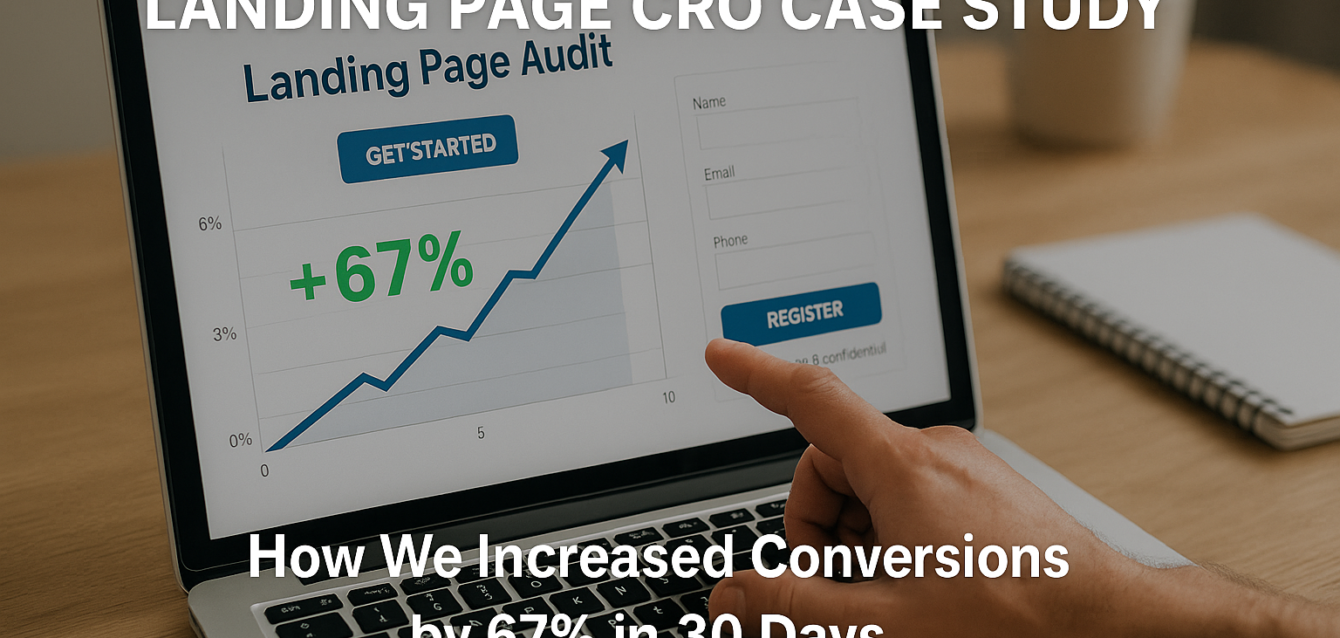
The 30-day CRO case study result was a 67% lift in form conversion rate.
Before the changes, the page converted at 3.0%. After the changes, it converted at 5.0%. That is a 67% relative lift. The page did not reach “perfect” performance, but it created more qualified leads from the same traffic base.
The biggest measurable changes were:
The form conversion rate increased from 3.0% to 5.0%. CTA click-through rate improved after the CTA copy and contrast changes. Mobile conversion rate improved after the hero, speed, and form fixes. Bounce rate decreased because the above the fold message became clearer. Form abandonment decreased after field reduction and privacy reassurance.
We also tracked lead quality. The shorter form increased submissions, but we did not want low-quality leads. Sales feedback showed that the leads remained qualified because the “website” and “main goal” fields still gave the team enough context.
Suggested Before/After Screenshots for the Published Post
For the live blog post, add three screenshot blocks:
Screenshot 1: Hero section before and after
Show the old vague headline and cluttered hero next to the new offer-led headline, proof cue, and CTA.
Screenshot 2: Form before and after
Show the old nine-field form beside the shorter five-field form with privacy reassurance.
Screenshot 3: Heatmap finding before and after
Show users clicking non-clickable elements before, then the revised layout with those clicks redirected toward proof or CTA.
These screenshots add visual credibility and make the case study easier to share.
What We Would Test Next
The next CRO step would be A/B testing the highest-impact remaining assumptions.
We did not start with A/B testing because the page had clear friction. Once the obvious issues were fixed, testing became more useful.
The next test ideas would be:
Headline testing: outcome-led headline vs. pain-led headline
CTA testing: “Get My Free Review” vs. “Find My Conversion Leaks”
Proof testing: testimonial near hero vs. logo row near hero
Form testing: five fields vs. multi-step form
Hero testing: product-style screenshot vs. consultant-led visual
Trust testing: privacy reassurance vs. process reassurance
We would avoid multivariate testing unless traffic increased enough to support it. For most landing pages, split testing one high-impact element at a time gives cleaner learning.
Quick-win fix: write your test hypothesis before launching. Example: “Moving social proof above the form will increase form submissions because it reduces trust friction before the ask.”
Common Mistakes This CRO Case Study Avoided
The biggest mistake we avoided was redesigning the page before diagnosing the conversion leak.
A full redesign can help, but it can also hide what caused the improvement. This project focused on high-confidence fixes first.
Mistake 1: Changing Button Color Without Fixing CTA Copy
Button color alone rarely solves a conversion problem. In this case, the color change worked because it supported a clearer CTA and stronger contrast.
Mistake 2: Cutting Form Fields Without Watching Lead Quality
Shorter forms often improve submissions, but they can reduce quality. We kept fields that helped sales qualify leads and removed fields that created early friction.
Mistake 3: Adding More Proof Without Moving It Higher
More testimonials at the bottom would not have fixed the trust issue. The key was moving proof near the CTA and form.
Mistake 4: Ignoring Mobile Optimization
Desktop looked fine, but mobile users were struggling. The lift came partly from making the page easier to understand and complete on a phone.
Mistake 5: Running Tests Too Early
The page had obvious issues. Testing small variations before fixing those issues would have wasted traffic.
Start with a free landing page audit before launching new tests or redesigns.
Free Tools Used in This CRO Case Study
The best CRO tools for this case study were simple: audit scoring, page speed testing, behavior analytics, and conversion tracking.
The Dreamer Designs CRO Analyzer was the starting point. Use the CRO analyzer to diagnose headline clarity, CTA visibility, trust signals, mobile UX, form friction, and page structure.
Google PageSpeed Insights helped identify mobile speed and Core Web Vitals issues. It was useful for validating whether image compression and script cleanup improved performance.
Microsoft Clarity helped review heatmap and session recording patterns, including dead clicks, scroll depth, and form hesitation.
Hotjar can also support this workflow with heatmaps, recordings, surveys, and feedback when you need more qualitative insight.
Google Analytics 4 helped track page views, CTA clicks, form submissions, device performance, and conversion funnel movement.
Google Search Console is useful when organic traffic contributes to the page, especially for checking search intent and click-through rate from search results.