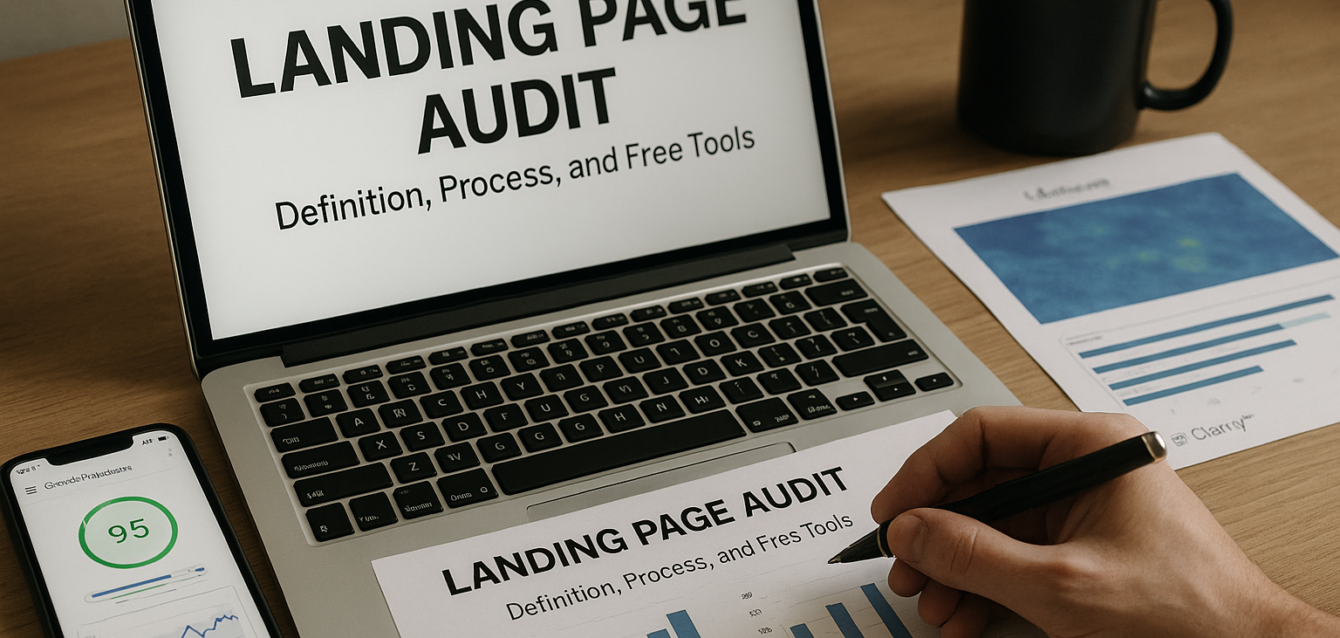
What Is a Landing Page Audit? Definition, Process, and Free Tools
A landing page audit is a structured review of one page to find the issues that stop visitors from converting into leads, buyers, trial users, or booked calls.
Most landing pages do not fail because of one obvious problem. They fail because of stacked friction: unclear headlines, weak message match, hidden CTAs, slow load time, missing trust signals, poor mobile UX, long forms, and proof placed too low on the page.
In our audits of 200+ landing pages, we have found that a landing page audit is often the fastest way to improve performance before redesigning, buying more ads, or running A/B testing. A good audit shows what is broken, why it matters, and which fix should happen first.
Start with a free landing page audit to check the biggest CRO issues before you spend money on new traffic, tools, or design work.
This guide explains what a landing page audit is, how it differs from a full website audit, what it covers, how long it takes, what it costs, and which free tools help you run one.
What Is a Landing Page Audit?
A landing page audit is a conversion-focused review of a single landing page that checks whether the page is clear, fast, trustworthy, mobile-friendly, and easy to act on.
A landing page has one main job. That job may be a form submission, ecommerce purchase, free trial sign-up, demo request, quote request, webinar registration, phone call, or add-to-cart action. The audit checks whether the page supports that one action.
A landing page audit usually reviews:
Headline clarity
Above the fold layout
Message match
CTA visibility
Page speed
Core Web Vitals
Mobile optimization
Trust signals
Social proof
Form friction
User behavior
Conversion funnel drop-off
Analytics tracking
A/B testing opportunities
Google PageSpeed Insights can support a landing page audit because it reports on user experience and diagnostics for mobile and desktop pages, including Core Web Vitals like LCP, INP, and CLS.
A landing page audit is not just a design review. A page can look modern and still convert poorly. The audit should connect every recommendation to conversion behavior, user intent, and business impact.
Quick-win tip: do not audit the whole website first. Start with the page that gets the most paid traffic, SEO traffic, or revenue opportunity.
How Is a Landing Page Audit Different From a Website Audit?
A landing page audit focuses on one page and one conversion goal, while a website audit reviews the broader health, structure, SEO, content, and technical performance of the full site.
A full website audit may include crawl issues, indexation, technical SEO, navigation, internal links, content gaps, page templates, accessibility, security, backlinks, and site-wide performance. That work matters, but it is broader than landing page optimization.
A landing page audit is narrower and more action-focused. It asks, “Why are people not converting on this specific page?”
For example, a website audit may say your site has duplicate title tags or missing schema. A landing page audit may say your hero headline does not match the ad promise, your CTA is hidden on mobile, and your form asks for too much information before building trust.
Both are useful, but they solve different problems.
Use a landing page audit when:
Paid traffic is not converting
A page gets visits but few leads
A Shopify product page gets clicks but few purchases
A SaaS page gets traffic but few trial sign-ups
A WordPress form page has low submissions
An Unbounce campaign page has high bounce rate
You need to improve one page quickly
Use a full website audit when:
Organic traffic is declining across many pages
Technical SEO issues are site-wide
Navigation or content structure is unclear
The whole site needs performance improvement
You are planning a redesign or migration
The best CRO process often starts with a single high-value page. Use a conversion rate optimization tool to find the biggest page-level friction before expanding into a full-site review.
What Does a Landing Page Audit Check?
A landing page audit checks the page elements that affect whether visitors understand, trust, and complete the intended action.
The audit should not be a random list of opinions. It should follow a repeatable framework. At The Dreamer Designs, we use The Dreamer Designs 8-Point CRO Audit Framework to review the conversion path from first impression to final action.
1. Headline Clarity
The headline should explain what the offer is, who it is for, and why it matters. If a visitor cannot understand the page in five seconds, the page has a clarity problem.
A strong headline is specific. “Grow Faster” is vague. “Get More Qualified Demo Calls From Your SaaS Landing Page” is clearer.
2. Above the Fold Layout
The first screen should show the offer, CTA, benefit, and one trust cue. If the hero image pushes the CTA too low, especially on mobile, visitors may leave before acting.
3. Message Match
The landing page should match the ad, email, search result, or social post that sent the visitor there. Message mismatch increases doubt and bounce rate.
4. CTA Visibility and Copy
The call to action should be easy to see and understand. “Submit” is weaker than “Get My Free Audit” because it describes a task instead of a benefit.
5. Page Speed
Slow pages create friction before users even read the offer. PageSpeed Insights is useful because it shows mobile and desktop diagnostics for performance and Core Web Vitals.
6. Mobile Optimization
Mobile users need fast loading, readable text, tap-friendly buttons, simple forms, and visible CTAs. A desktop-first page often fails on mobile.
7. Trust Signals and Social Proof
Trust signals include testimonials, logos, reviews, guarantees, privacy notes, case studies, secure checkout badges, and clear next-step language.
8. Form Friction and Behavior Data
Forms should ask only for what is needed at that step. Heatmaps and session recordings can show where users hesitate, click, scroll, or abandon. Microsoft Clarity describes itself as a free behavior analytics tool with heatmaps and session replays, and says it is free forever with no traffic limits.
Pull-quote stat: In our analysis of 200+ landing pages, the most common audit findings were unclear headlines, weak CTA hierarchy, slow mobile performance, missing proof near the CTA, and too much form friction.
Why Should You Run a Landing Page Audit?
You should run a landing page audit because it helps you improve conversions before spending more money on traffic, redesigns, or paid CRO software.
A landing page audit protects your marketing budget. If your page is unclear, slow, or untrustworthy, more traffic only sends more people into the same leak.
A landing page audit can help you:
Improve lead generation
Increase ecommerce conversion
Reduce cost per lead
Improve paid ad ROI
Increase SaaS free trial sign-ups
Improve add-to-cart rate
Lower bounce rate
Improve CTA click-through rate
Reduce form abandonment
Find A/B testing ideas
Improve mobile UX
Prioritize design changes
A landing page audit is especially useful before A/B testing. Testing works best when you know what problem you are testing. If the form is too long, the CTA is hidden, or the page loads slowly, you may not need a test first. You may need a fix.
Quick-win tip: audit your highest-value page first. This is usually a paid campaign page, sales page, product page, demo page, or free trial page.
Use a free CRO audit before changing ad budgets or rebuilding the page.
How Long Does a Landing Page Audit Take?
A basic landing page audit can take 15 to 30 minutes, while a deeper professional audit can take 2 to 10 hours depending on traffic data, analytics setup, and page complexity.
A fast audit is useful when you need a first-pass diagnosis. It can catch obvious issues like vague copy, hidden CTA, poor mobile layout, missing social proof, and slow page speed.
A deeper audit takes longer because it may review:
Google Analytics 4 events
Conversion funnel data
Heatmaps
Session recordings
PageSpeed Insights
Google Search Console
Paid traffic message match
Form completion behavior
Mobile and desktop UX
Competitor positioning
A/B testing history
CRM or lead quality data
Search Console can support deeper landing page audits when the page gets organic traffic because it shows which queries bring users to the site and helps measure impressions, clicks, and position in Google Search.
For most businesses, a practical audit timeline looks like this:
A 15-minute audit finds obvious page issues.
A 60-minute audit finds priority fixes and tool-backed insights.
A 3-hour audit adds analytics, heatmap, mobile, and speed review.
A full professional CRO audit may include strategy, tracking, screenshots, recommendations, and A/B testing priorities.
Quick-win tip: do not wait for a perfect audit. If the CTA is hidden on mobile, fix that now while deeper analysis continues.
How Much Does a Landing Page Audit Cost?
A landing page audit can cost $0 with free tools, while professional CRO audits often range from a few hundred dollars to several thousand dollars depending on depth and business complexity.
Free landing page audits are best for first-pass diagnosis. They help identify obvious friction and give teams a starting point.
Paid audits are useful when the page drives meaningful revenue, paid traffic spend, or lead volume. A professional audit may include analytics analysis, heatmap review, competitive review, UX annotations, copy recommendations, conversion funnel mapping, and a prioritized action plan.
The cost depends on:
Page complexity
Traffic volume
Number of variants
Whether analytics are configured
Whether heatmaps are available
Whether the audit includes copywriting
Whether the audit includes design recommendations
Whether the audit includes implementation
Whether the funnel continues after the page
Whether ecommerce, SaaS, or lead quality data is reviewed
Free tools are enough when you are still fixing basics. Paid audits are worth considering when one conversion lift can create meaningful revenue.
Quick-win tip: start with a free audit and only pay for deeper strategy when the page has enough traffic or business value to justify expert review.
For most teams, the first step is simple: run a free landing page audit and fix the highest-impact issue first.
What Is the Landing Page Audit Process?
The landing page audit process starts with defining the conversion goal, then reviewing the page for clarity, usability, trust, speed, mobile behavior, and conversion friction.
A good process keeps the audit focused. Without a process, teams fall into subjective design opinions.
Use this beginner-friendly landing page audit process:
1. Define the Primary Conversion
Choose one main goal: form submission, purchase, demo booking, free trial sign-up, quote request, or add-to-cart action.
2. Identify the Traffic Source
Check whether users come from Google Ads, Meta Ads, LinkedIn Ads, SEO, email, referrals, direct traffic, or retargeting. The page should match that intent.
3. Review the First Screen
Check whether the headline, subheadline, CTA, offer, and trust cue are clear above the fold.
4. Check CTA Visibility
The CTA should be visible, specific, and repeated at natural decision points.
5. Test Page Speed
Use Google PageSpeed Insights to review mobile and desktop performance, diagnostics, and Core Web Vitals.
6. Review Mobile UX
Open the page on a real phone. Tap the CTA, fill out the form, and complete the conversion path.
7. Check Social Proof and Trust
Look for proof near the CTA, form, pricing, checkout, or demo request. Trust should appear before the ask.
8. Review Form Friction
Remove fields that are not needed for the next step. Add privacy reassurance near the form button.
9. Inspect Behavior Data
Use Microsoft Clarity or Hotjar to review heatmaps, scroll depth, session recordings, dead clicks, rage clicks, and form hesitation. Hotjar says heatmaps help visualize user behavior and identify popular or unpopular areas and where visitors get stuck.
10. Prioritize Fixes
Rank every issue by impact and effort. Fix the highest-impact, lowest-effort issue first.
Quick-win tip: write each recommendation as “Problem → Why it matters → Fix → Tool used.” This makes the audit easier to implement.
What Free Tools Can You Use for a Landing Page Audit?
The best free landing page audit tools help you review page clarity, speed, mobile UX, user behavior, search intent, and conversion tracking.
You do not need paid CRO software to start. A free audit stack can reveal most beginner-level conversion leaks.
The Dreamer Designs CRO Analyzer should be your first step. Use the CRO analyzer to find headline, CTA, layout, trust, mobile, and form issues before installing more tools.
Google PageSpeed Insights checks speed, diagnostics, mobile and desktop performance, and Core Web Vitals. Use Google PageSpeed Insights before increasing paid traffic.
Microsoft Clarity gives free heatmaps and session recordings. Use Microsoft Clarity to find rage clicks, dead clicks, low scroll depth, missed CTAs, and form friction.
Hotjar helps with heatmaps, recordings, surveys, and feedback. Use Hotjar when you want both behavior data and visitor feedback. Hotjar’s site describes heatmaps, recordings, surveys, and feedback as tools for understanding where users drop off and why.
Google Analytics 4 helps track conversion events, traffic sources, CTA clicks, form submissions, add-to-cart actions, purchases, trial sign-ups, and funnel movement.
Google Search Console helps when your landing page receives organic search traffic. Use Google Search Console to review queries, impressions, clicks, and page experience.
Quick-win tip: start with one audit tool, one speed tool, one behavior tool, and one analytics setup. Too many tools can create noise and slow the page.
What Should a Landing Page Audit Report Include?
A landing page audit report should include the conversion goal, top issues, evidence, recommended fixes, priority level, and expected impact.
A useful audit report should not overwhelm the team with 50 random notes. It should help people take action.
A strong audit report includes:
Page URL
Primary conversion goal
Traffic source
Current conversion rate
Top conversion leaks
Screenshots or annotations
Heatmap or session recording findings
PageSpeed Insights notes
Mobile UX findings
CTA and form review
Trust and social proof review
Recommended fixes
Priority order
A/B testing ideas
Tool links
Implementation notes
The best audit recommendations are specific.
Weak recommendation: “Improve CTA.”
Better recommendation: “Change the hero CTA from ‘Submit’ to ‘Get My Free Audit’ because the current copy describes a task instead of the value.”
Weak recommendation: “Add trust.”
Better recommendation: “Add a short testimonial under the first CTA because the current proof appears below the main scroll drop-off point.”
Quick-win tip: keep your audit report action-first. The goal is not to document every flaw. The goal is to improve the conversion path.
For pages that need a rebuild after the audit, our landing page design service can turn findings into a faster, clearer, mobile-first page.
Common Landing Page Audit Mistakes
The most common landing page audit mistake is judging the page by opinion instead of user intent, behavior, and conversion data.
A landing page audit should not become a design preference debate. It should connect issues to visitor friction.
Mistake 1: Auditing Without a Conversion Goal
If you do not know the main action, you cannot judge the page properly. Fix this by defining one primary conversion before reviewing the page.
Mistake 2: Starting With Design Taste
A page can look good and convert poorly. Fix this by reviewing clarity, message match, CTA, proof, speed, mobile UX, and form friction before visual style.
Mistake 3: Ignoring Mobile
Many landing pages are reviewed on desktop but visited on mobile. Fix this by completing the full conversion path on a real phone.
Mistake 4: Skipping Page Speed
A slow page can lose users before they read the headline. Fix this by using PageSpeed Insights on mobile and desktop.
Mistake 5: Reviewing Heatmaps Without a Question
Heatmaps are more useful when you know what you are checking. Fix this by asking, “Do users see the CTA?”, “Do they reach proof?”, or “Where do they abandon the form?”
Mistake 6: Listing Issues Without Priorities
A long list without priority creates confusion. Fix this by ranking recommendations by impact and effort.
Run a free CRO audit before debating design changes or buying paid tools.