
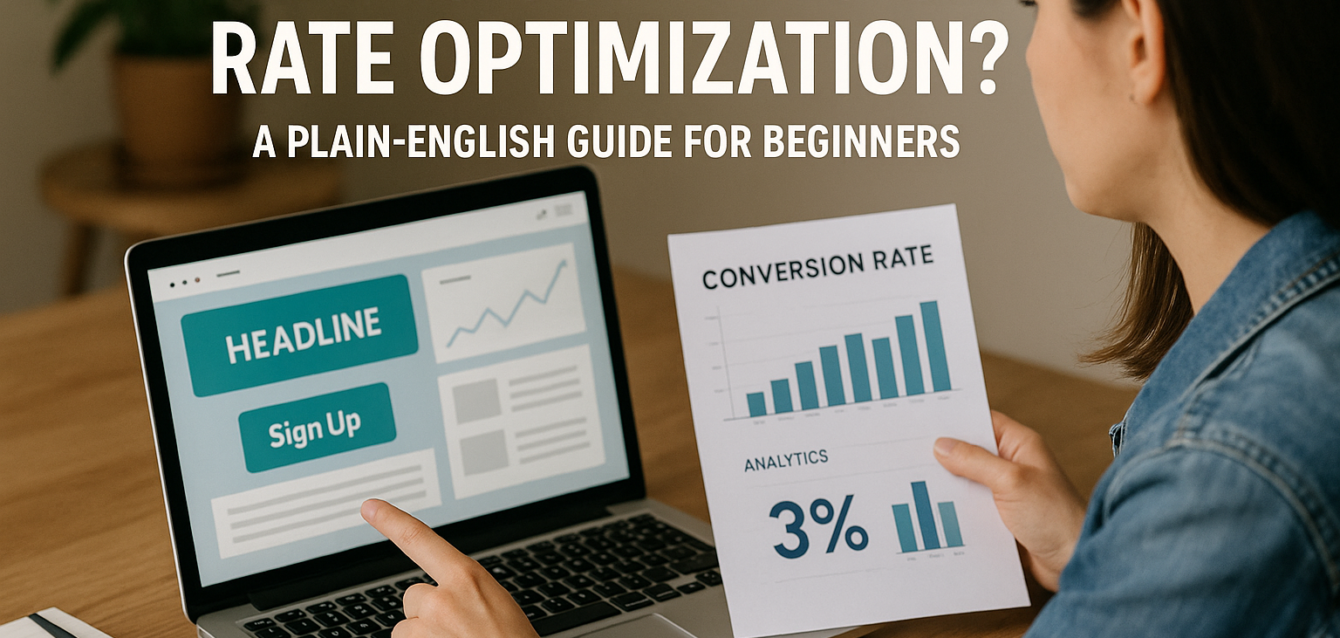
What Is Conversion Rate Optimization? A Plain-English Guide for Beginners
Conversion rate optimization is the process of improving a page, website, or funnel so more visitors take the action you want, such as buying, signing up, booking a call, or submitting a form.
If 1,000 people visit your landing page and 30 become leads, your conversion rate is 3%. CRO helps you raise that number without needing more traffic first.
Most businesses chase more clicks before fixing the page those clicks land on. That is expensive. A slow page, vague headline, weak call to action, missing trust signals, or long form can waste traffic from Google Ads, SEO, social media, email, and referrals.
In our audits of 200+ landing pages, we have found that CRO works best when teams fix the basics first: headline clarity, above the fold layout, message match, CTA visibility, page speed, mobile optimization, social proof, form friction, and user behavior. Start by running a free CRO audit before paying for more ads or new software.
This guide explains what conversion rate optimization means, how it differs from SEO and paid ads, what a good conversion rate looks like, and how to start for free.
What Is Conversion Rate Optimization?
Conversion rate optimization, or CRO, is the practice of increasing the percentage of visitors who complete a desired action on your site or landing page.
That action depends on your business. For an ecommerce brand, it may be a purchase or add-to-cart event. For a SaaS company, it may be a free trial sign-up or demo request. For a service business, it may be a lead generation form submission or booked consultation.
Google Ads defines conversion rate as conversions divided by total ad interactions, shown as a percentage. For example, 50 conversions from 1,000 interactions equals a 5% conversion rate. The same basic formula applies to landing pages: conversions divided by visitors, multiplied by 100.
CRO is not just changing button colors. Real conversion rate optimization looks at the full conversion funnel:
Who is visiting?
What did they expect before landing?
Does the headline match that intent?
Is the offer clear above the fold?
Is the call to action easy to find?
Does the page load fast?
Is the form easy to complete?
Are trust signals and social proof visible?
What does heatmap or session recording data show?
Where do users drop off?
Think of CRO as the bridge between traffic and revenue. SEO gets people to the page. Paid ads buy visits. CRO helps more of those visits turn into business results.
How Do You Calculate Conversion Rate?
You calculate conversion rate by dividing the number of conversions by the number of visitors or interactions, then multiplying by 100.
The formula is:
Conversion Rate = (Conversions ÷ Visitors) × 100
If your landing page receives 2,000 visitors and 100 people submit the form, your conversion rate is 5%.
If your Shopify product page receives 5,000 sessions and 150 purchases, your ecommerce conversion rate is 3%.
If your SaaS page receives 1,000 visitors and 80 people start a free trial, your trial sign-up conversion rate is 8%.
Google Analytics 4 treats a conversion as an important user action created from an Analytics event, which helps businesses measure and optimize campaigns across Google Analytics and Google Ads.
For CRO, you should track both macro-conversions and micro-conversions.
A macro-conversion is the main business goal, such as a purchase, demo booking, or form submission. A micro-conversion is a smaller step, such as CTA click-through rate, pricing page click, add-to-cart action, video play, scroll depth, or form start.
This matters because a page may have a low final conversion rate, but the real problem may happen earlier. Maybe users click the CTA but abandon the form. Maybe they read the page but never reach the CTA. Maybe mobile users bounce before the hero loads.
Quick-win tip: set up Google Analytics 4 events for your main CTA click, form start, form submission, purchase, or trial sign-up before making CRO changes.
Why Does Conversion Rate Optimization Matter?
Conversion rate optimization matters because it helps you get more value from the traffic you already have.
If your landing page gets 10,000 monthly visitors and converts at 2%, you get 200 conversions. If CRO improves that page to 4%, you get 400 conversions from the same traffic. You doubled results without doubling ad spend, SEO content, or traffic volume.
That is why CRO is one of the highest-leverage growth activities for landing pages, ecommerce stores, SaaS sites, WordPress service pages, Shopify product pages, and Unbounce campaigns.
CRO improves:
Lead generation
Ecommerce conversion
Trial sign-ups
Demo bookings
Sales calls
Add-to-cart rate
Checkout starts
Revenue per visitor
Paid ad ROI
Landing page optimization
Customer acquisition cost
Pull-quote stat: In our analysis of 200+ landing pages, we found that fixing message match, CTA clarity, trust placement, page speed, and form friction often created stronger gains than sending more traffic to the same page.
CRO also protects your marketing budget. If paid ads send traffic to a slow or confusing page, every click becomes more expensive. If SEO brings qualified visitors to a weak page, organic traffic underperforms. If email campaigns drive people to a generic page, the click is wasted.
Use the CRO platform to review your conversion funnel before scaling traffic.
How Is CRO Different From SEO?
CRO improves what visitors do after they arrive, while SEO helps more people find your site through search engines.
SEO focuses on visibility. CRO focuses on action.
SEO work may include keyword research, content strategy, internal linking, technical SEO, page indexing, schema markup, search intent, backlinks, and click-through rate from search results.
CRO work may include headline testing, CTA copy, form reduction, heatmap analysis, trust signals, page speed, mobile optimization, A/B testing, split testing, multivariate testing, social proof placement, and conversion funnel review.
They work best together.
For example, SEO may help a page rank for “what is conversion rate optimization.” But if the page has a vague intro, weak CTA, no proof, or no clear next step, that traffic may not convert.
CRO can also improve SEO outcomes indirectly by making pages more useful. Google’s PageSpeed Insights documentation explains that it reports on user experience and diagnostics for mobile and desktop pages, including Core Web Vitals signals. Page speed and user experience matter for both visitors and search performance.
A strong SEO page earns the visit. A strong CRO page earns the action.
Quick-win tip: check your top organic landing pages in Google Search Console, then review whether the page headline, CTA, and offer match the search queries bringing traffic.
How Is CRO Different From Paid Ads?
Paid ads buy traffic, while CRO improves how much of that traffic turns into leads, sales, trials, or revenue.
Paid advertising focuses on targeting, creative, bids, keywords, budgets, audiences, and placements. CRO focuses on the post-click experience.
A Google Ad may promise “free landing page audit.” The landing page must then repeat that promise, explain the value, build trust, and make the CTA easy to complete. If the page says something generic like “grow your business with better design,” the message match is weak.
A Facebook ad may show a product video. The Shopify landing page must then show the same product, reviews, shipping clarity, urgency, and an easy add-to-cart path.
A LinkedIn ad may target SaaS leaders. The landing page must then speak to that role, show proof, clarify demo vs free trial, and reduce form friction.
CRO helps paid ads by improving:
Post-click experience
Landing page relevance
Lead quality
Cost per lead
Cost per purchase
Conversion rate
Revenue per visitor
Bounce rate
Funnel completion
Google Ads says conversion rate is calculated by dividing conversions by total ad interactions during the same time period. That means even small landing page improvements can change campaign economics.
Quick-win tip: before raising ad spend, run a free landing page audit on your highest-spend campaign page.
What Is a Good Conversion Rate?
A good conversion rate depends on your industry, offer, traffic source, page type, and conversion goal.
There is no universal “good” conversion rate. A newsletter signup page, Shopify checkout, SaaS free trial page, B2B demo page, and high-ticket consultation page all behave differently.
Unbounce reported a median landing page conversion rate of about 6.6% across all industries as of Q4 2024, based on 464 million visits, 41,000 landing pages, and 57 million conversion actions.
Unbounce also reported that SaaS landing pages convert at a median rate of 3.8%, lower than the all-industry baseline.
Ruler Analytics reported an average conversion rate of 2.9% across fourteen industries in its 2025 conversion rate by industry data.
For ecommerce, benchmarks vary by source, store type, device, and measurement method. Littledata reports an average Shopify conversion rate of 1.4%, with more than 3.2% putting a store in the best 20% of Shopify stores it benchmarks.
Use a conversion rate benchmark as context, not as a final goal. Your best benchmark is your own page’s past performance.
A good CRO question is not only, “Are we above average?” It is, “Can this page convert better for this traffic, offer, and audience?”
Quick-win tip: compare conversion rate by traffic source. Paid search, organic search, email, direct, social, and retargeting traffic often convert at different rates.
What Parts of a Page Does CRO Improve?
CRO improves the page elements that influence user behavior, including copy, layout, CTA, forms, proof, speed, mobile UX, and trust.
Most conversion problems are not hidden deep in analytics. They are visible on the page.
The highest-impact CRO areas usually include:
Headline and Message Match
Your headline should match the visitor’s intent. If users click an ad, email, or search result, the above the fold message should confirm they are in the right place.
Headline testing is often one of the best first A/B testing ideas because every visitor sees the headline.
Above the Fold Layout
The first screen should explain the offer, show the main benefit, include a visible call to action, and add one trust cue. A cluttered hero section can create confusion before users scroll.
Call to Action
Your CTA should be clear, specific, and value-based. “Submit” is weaker than “Get My Free Audit” because it describes the task instead of the reward.
Social Proof and Trust Signals
Testimonials, review stars, customer logos, case studies, guarantees, security badges, and privacy notes reduce doubt. Place them near decision points, not only near the footer.
Forms and Friction
Form friction happens when a page asks for too much information too soon. Reducing required fields can improve lead generation, but always track lead quality.
Page Speed and Core Web Vitals
Slow pages hurt conversions because users may leave before seeing the offer. Test page speed with Google PageSpeed Insights.
Mobile Optimization
A desktop page can look great and still fail on mobile. CRO should review mobile CTA visibility, form usability, sticky bars, tap targets, and page load speed.
Behavior Data
Tools like Microsoft Clarity can show heatmap and session recording data so you can see where users click, scroll, hesitate, or abandon. Microsoft describes Clarity as a free behavior analytics tool with heatmaps and session replays.
How Do CRO Tools Help Beginners?
CRO tools help beginners find conversion problems by showing page performance, user behavior, speed issues, search intent, and funnel drop-off.
You do not need expensive conversion optimization software to start. Free CRO tools can reveal most beginner-level issues.
Start with The Dreamer Designs CRO Analyzer. The CRO analyzer helps identify headline clarity issues, CTA problems, form friction, mobile UX gaps, trust signal placement, and landing page optimization opportunities.
Use Google Analytics 4 to track conversions, events, traffic sources, CTA clicks, form submissions, add-to-cart actions, purchases, and trial sign-ups.
Use Google PageSpeed Insights to test page speed, Core Web Vitals, image weight, layout shift, and mobile performance.
Use Microsoft Clarity to review heatmaps, rage clicks, dead clicks, scroll maps, and session recording data.
Use Hotjar when you want heatmaps, recordings, feedback widgets, and surveys. Hotjar says heatmaps help teams visualize user behavior and see what grabs attention, what users miss, and where they get frustrated.
Use Google Search Console to compare organic search queries with the page headline, meta description, content angle, and CTA.
Paid CRO tools become useful later when you need advanced segmentation, revenue attribution, personalization, multivariate testing, and team experiment workflows.
Quick-win tip: do not install every tool at once. Start with one audit, one analytics setup, one speed test, and one heatmap tool.
How Do You Start Conversion Rate Optimization for Free?
You can start CRO for free by auditing one page, tracking one conversion goal, reviewing behavior data, fixing one friction point, and measuring the result.
Beginners often overcomplicate CRO. You do not need a full experimentation team to improve a landing page. You need a clear process.
Use The Dreamer Designs 8-Point CRO Audit Framework:
Check headline clarity.
Review above the fold layout.
Confirm CTA visibility.
Test page speed.
Review mobile optimization.
Check trust signals and social proof.
Reduce form friction.
Review heatmap and session recording behavior.
In our audits of 200+ landing pages, we have found that this simple framework catches most early conversion leaks.
Here is a beginner-friendly CRO workflow:
First, pick one page with meaningful traffic or business value. Do not audit your entire website at once.
Second, define one primary conversion. That might be a form submission, purchase, free trial, demo booking, or add-to-cart action.
Third, run a free audit and write down the top three issues.
Fourth, use behavior tools to confirm what users do. Look for missed CTAs, low scroll depth, form abandonment, rage clicks, dead clicks, and mobile drop-off.
Fifth, fix one high-impact issue. Do not change everything at once.
Sixth, measure results for at least one full traffic cycle.
Seventh, move to A/B testing or split testing when you have enough traffic to compare variants.
Quick-win tip: your first CRO fix should usually be a headline, CTA, proof placement, form, or mobile speed improvement, not a tiny design change.
Common CRO Mistakes Beginners Make
The most common CRO mistake beginners make is changing random page elements without diagnosing the real conversion leak.
CRO is not guessing. It is a structured process of finding friction, making a targeted change, and measuring the result.
Mistake 1: Starting With Button Color
Button color can matter if contrast is poor, but it is rarely the biggest issue. Fix the offer, headline, CTA copy, trust signals, and form friction first.
Mistake 2: Copying Competitors
A competitor’s page may work because of their traffic, brand, pricing, audience, or offer. Copying their layout without context can hurt your conversion funnel.
Mistake 3: Ignoring Mobile Users
Many pages are reviewed on desktop but visited on mobile. Always test mobile UX, page speed, forms, and CTA visibility on a real phone.
Mistake 4: Running Tests Without Enough Traffic
A/B testing and multivariate testing need enough visitors and conversions to produce useful results. Low-traffic pages should start with audit findings, user behavior, and high-confidence fixes.
Mistake 5: Measuring Only Top-Level Conversions
If you only track final conversions, you may miss where the funnel breaks. Track CTA clicks, form starts, checkout starts, add-to-cart actions, and other micro-conversions.
Mistake 6: Adding Too Many Tools
Too many scripts can slow a page. Install only the tools needed to answer your current CRO question.
Run a free landing page audit before redesigning, testing, or buying paid CRO software.