
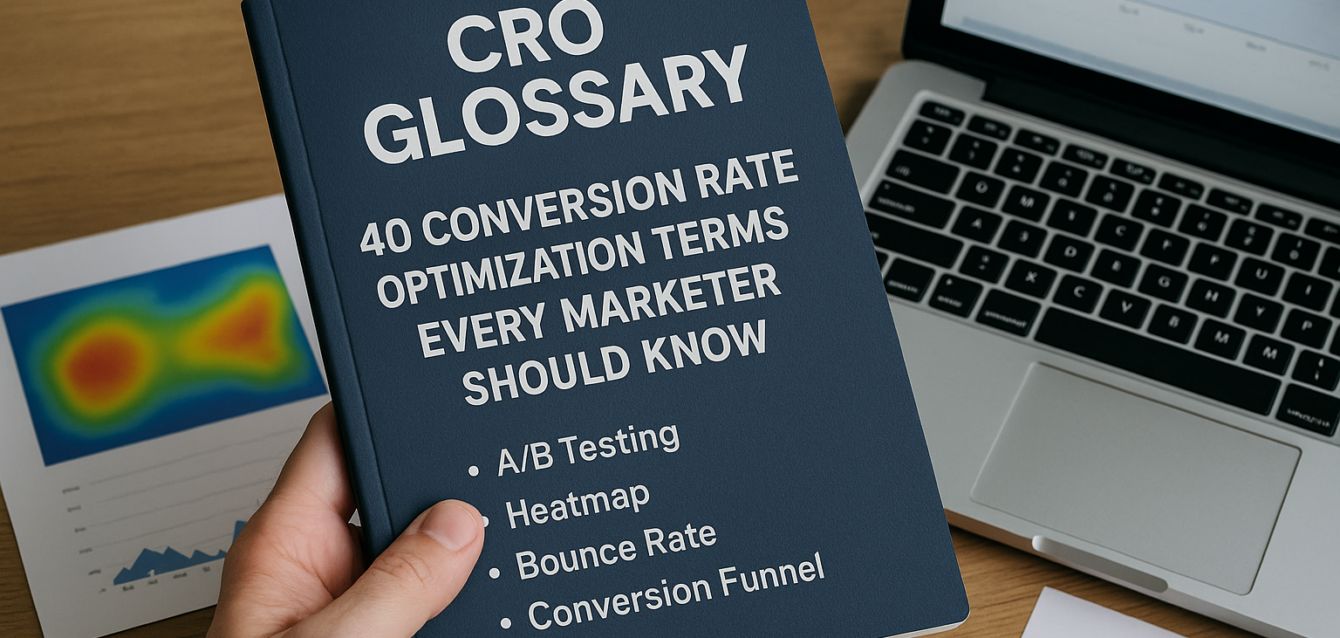
CRO Glossary: 40 Conversion Rate Optimization Terms Every Marketer Should Know
A CRO glossary is a plain-English list of conversion rate optimization terms that help marketers understand how visitors move from page view to lead, sale, trial, or booked call.
If you work on landing pages, paid ads, ecommerce, SaaS, WordPress sites, Shopify stores, or Unbounce campaigns, you will hear terms like A/B testing, heatmap, bounce rate, click-through rate, conversion funnel, statistical significance, and form friction. These terms matter because they help your team diagnose why visitors are not converting.
In our audits of 200+ landing pages, we have found that teams move faster when everyone uses the same CRO language. A designer, founder, ad buyer, copywriter, and developer can all disagree when terms are vague. A shared glossary makes conversion decisions clearer.
Before you start testing, redesigning, or buying CRO tools, run a free CRO audit to see which CRO terms apply to your page right now.
This guide defines 40 essential CRO terms in plain English.
What Are CRO Terms?
CRO terms are the words marketers use to describe conversion problems, user behavior, testing methods, page elements, and funnel performance.
Conversion rate optimization can sound technical, but most CRO terms explain simple ideas. A heatmap shows where people click. A CTA asks users to act. Form friction means a form feels too hard to complete. Message match means the page matches what the visitor expected before clicking.
CRO terms are useful because they turn opinions into clearer decisions. Instead of saying “the page feels off,” a team can say, “The above the fold section has weak message match, the CTA is not visible on mobile, and the form has too much friction.”
According to Google Analytics Help, conversion events are important user actions that businesses choose to measure. CRO terms help teams understand those actions and improve the path leading to them.
Pull-quote stat: In our analysis of 200+ landing pages, we found that teams fixed pages faster when audit notes used clear CRO terms like message match, CTA visibility, form friction, trust signals, and scroll depth.
Use the CRO platform to connect these glossary terms to real landing page issues.
Why Does This CRO Glossary Matter?
This CRO glossary matters because marketers need a shared language before they can improve conversion rate.
CRO is not just A/B testing. It includes page speed, mobile optimization, copy clarity, user behavior, heatmaps, trust signals, analytics, forms, and landing page design. When teams misunderstand these terms, they often test the wrong things.
For example, “bounce rate” and “conversion rate” are not the same. “Click-through rate” and “form completion rate” are not the same. “Split testing” and “multivariate testing” are related, but they need different traffic levels.
The Dreamer Designs 8-Point CRO Audit Framework uses these core terms to review:
Headline clarity
Above-the-fold layout
CTA visibility
Page speed
Mobile UX
Trust signals
Form friction
Heatmap and session recording behavior
If your page has several glossary terms showing up as problems, the next step may be a professional landing page built around clearer conversion flow.
CRO Glossary: 40 Conversion Rate Optimization Terms
This CRO glossary defines the 40 conversion rate optimization terms every marketer should know before auditing, testing, or redesigning a landing page.
The terms are listed alphabetically so your team can use this as a quick reference during CRO audits, landing page optimization reviews, A/B testing planning, and analytics reporting.
1. A/B Test
An A/B test compares two versions of a page or element to see which one performs better. Version A is usually the current version, while Version B changes one thing, such as the headline, CTA copy, hero image, form length, or social proof placement.
A/B testing works best when you have one clear hypothesis and enough traffic to measure results. Use A/B testing after fixing obvious issues found in a CRO audit.
2. Above the Fold
Above the fold is the part of a landing page visitors see before they scroll. On modern screens, the exact fold changes by device, but the idea is the same: the first visible section must explain the offer quickly.
A strong above-the-fold section includes a clear headline, short subheadline, visible call to action, relevant visual, and one trust signal. Weak above-the-fold clarity is one of the most common landing page optimization problems.
3. Analytics
Analytics means the data collected about how users find, browse, and convert on your website or landing page. Tools like Google Analytics 4 help track traffic sources, events, conversions, purchases, and funnel movement.
Analytics tells you what happened. CRO uses analytics with heatmaps, session recordings, user research, and audits to understand why it happened.
4. Average Order Value
Average order value, or AOV, is the average amount a customer spends per purchase. It is calculated by dividing total revenue by number of orders.
For ecommerce conversion, AOV matters because a landing page can increase revenue even if conversion rate stays flat. Bundles, upsells, cross-sells, free shipping thresholds, and product recommendations can all affect AOV.
5. Bounce Rate
Bounce rate measures the share of sessions where users leave without deeper engagement. In GA4, bounce rate is tied to non-engaged sessions rather than the older Universal Analytics definition.
A high bounce rate can mean weak message match, slow page speed, poor mobile UX, irrelevant traffic, or unclear above-the-fold copy. Do not judge bounce rate alone; compare it with conversion rate, scroll depth, and traffic source.
6. Call to Action
A call to action, or CTA, is the prompt that asks a visitor to take the next step. Common CTAs include “Get My Free Audit,” “Start Free Trial,” “Book a Demo,” “Add to Cart,” and “Download the Guide.”
Good CTA copy is specific and value-based. “Submit” is usually weaker because it describes the task, not the benefit.
7. Click Map
A click map is a heatmap report that shows where visitors click or tap on a page. It helps reveal whether users click the main CTA, navigation, product images, icons, logos, or non-clickable elements.
Click maps are useful for finding distraction and confusion. If users repeatedly click something that is not clickable, either make it clickable or redesign it so it does not look interactive.
8. Click-Through Rate
Click-through rate, or CTR, is the percentage of users who click a link, button, ad, or CTA after seeing it. It is often used in paid ads, email, search results, and landing page CTA analysis.
CTR does not always equal conversion success. A CTA may get clicks but still fail if the form, checkout, or next step creates friction.
9. Conversion
A conversion is the action you want a visitor to take. It can be a purchase, form submission, demo booking, free trial sign-up, quote request, add-to-cart action, phone call, or newsletter signup.
Every landing page should have one primary conversion goal. If a page asks users to do too many things, the conversion path becomes harder to follow.
10. Conversion Funnel
A conversion funnel is the sequence of steps a visitor takes before converting. A simple lead generation funnel may be page view, CTA click, form start, form submission, and thank-you page.
Funnels help teams find drop-off points. If users click the CTA but do not submit the form, the problem may be form friction rather than CTA visibility.
11. Conversion Rate
Conversion rate is the percentage of visitors who complete the desired action. The formula is conversions divided by visitors, multiplied by 100.
If 1,000 people visit your landing page and 50 submit the form, the conversion rate is 5%. A good conversion rate depends on traffic source, offer, industry, funnel stage, and page type.
12. Conversion Rate Benchmark
A conversion rate benchmark is a reference point used to compare performance across industries, page types, or traffic sources. Benchmarks can help set expectations, but they should not replace your own baseline.
A Shopify product page, SaaS demo page, paid search landing page, and webinar registration page can all have different benchmarks. The best benchmark is your own page’s previous performance.
13. Core Web Vitals
Core Web Vitals are Google’s user experience metrics for loading speed, responsiveness, and visual stability. They include Largest Contentful Paint, Interaction to Next Paint, and Cumulative Layout Shift.
For CRO, Core Web Vitals matter because slow or unstable pages can hurt user behavior before visitors read the offer. Use Google PageSpeed Insights to check them.
14. CRO Audit
A CRO audit is a structured review of a page or funnel to find conversion leaks. It checks clarity, layout, CTA visibility, page speed, mobile UX, trust signals, form friction, user behavior, and analytics tracking.
A good CRO audit ranks issues by impact and effort. Start with a free landing page audit before redesigning or running A/B testing.
15. Dead Click
A dead click happens when a user clicks something that does not respond. Dead clicks often happen when images, icons, cards, or text look clickable but are not.
Dead clicks are a useful user behavior signal. Tools like Microsoft Clarity can help identify dead clicks and other friction patterns.
16. Ecommerce Conversion
Ecommerce conversion is the action that turns a store visitor into a buyer or shopping-funnel participant. Common ecommerce conversions include product views, add-to-cart actions, checkout starts, and purchases.
For Shopify and WooCommerce pages, ecommerce conversion depends on product proof, reviews, shipping clarity, return policy, page speed, mobile UX, and checkout friction.
17. Exit Intent
Exit intent is behavior that suggests a visitor is about to leave the page. Exit-intent popups often appear when a user moves toward closing the tab, leaving the site, or abandoning the page.
Exit intent can recover leads or shoppers, but it should be used carefully. If a popup appears too early or blocks mobile users, it can hurt conversions.
18. Form Completion Rate
Form completion rate is the percentage of users who finish a form after starting it or viewing it. It helps identify whether form friction is hurting conversions.
If many users start the form but do not submit it, review required fields, privacy reassurance, mobile usability, error messages, and perceived value. Shorter forms often improve completion, but lead quality should also be tracked.
19. Form Friction
Form friction is anything that makes a form harder, slower, or riskier to complete. Too many fields, required phone numbers, confusing labels, bad error messages, and poor mobile spacing all create friction.
Form friction should match offer value. A free checklist needs fewer fields than a high-ticket consultation request.
20. Heatmap
A heatmap is a visual report that shows where users click, scroll, move, or engage on a page. Heatmaps help marketers see behavior patterns that standard analytics cannot show.
Heatmaps are useful for finding missed CTAs, low-scroll proof sections, dead clicks, rage clicks, and mobile UX issues. Tools like Microsoft Clarity and Hotjar are commonly used for heatmap analysis.
21. Headline Testing
Headline testing compares different headline versions to see which one improves engagement or conversions. It is often one of the best first tests because every visitor sees the headline.
Strong headlines explain the offer, audience, and outcome. Weak headlines rely on vague slogans or clever copy that does not match user intent.
22. Hero Section
The hero section is the top section of a landing page. It usually includes the headline, subheadline, main visual, CTA, and sometimes a proof element.
A strong hero section helps users understand the offer in seconds. A weak hero section often creates confusion with broad copy, oversized images, or too many competing CTAs.
23. Landing Page Optimization
Landing page optimization is the process of improving one page so more visitors take a desired action. It includes copy, layout, CTA, page speed, mobile UX, trust signals, proof, forms, and behavior analysis.
Landing page optimization is narrower than full website optimization. It focuses on one page and one main conversion goal.
24. Lead Generation
Lead generation is the process of collecting contact information from potential customers. A lead may come from a form, quiz, quote request, demo booking, audit request, webinar signup, or downloadable guide.
For CRO, lead generation pages should reduce friction while still collecting useful qualification data. The form should match the value of the offer.
25. Message Match
Message match means the landing page matches the ad, email, search result, or social post that brought the visitor there. If an ad promises a free CRO audit, the page should repeat that promise clearly.
Weak message match creates doubt and increases bounce rate. Strong message match confirms the user is in the right place.
26. Micro-Conversion
A micro-conversion is a smaller action that leads toward the main conversion. Examples include CTA clicks, scroll depth, video plays, pricing page clicks, form starts, add-to-cart actions, and product image clicks.
Micro-conversions help diagnose where the funnel breaks. If CTA clicks are strong but form submissions are low, the form may be the problem.
27. Mobile Optimization
Mobile optimization means designing the page for phone users, not just shrinking the desktop version. It includes fast load time, readable text, tap-friendly CTAs, short forms, and clean section order.
Mobile CRO matters because many visitors arrive from paid social, email, search, and ecommerce campaigns on phones. Always test the full conversion path on a real device.
28. Multivariate Testing
Multivariate testing compares multiple combinations of page elements at the same time. For example, it may test several headlines, images, and CTAs together.
Multivariate testing needs more traffic than a simple A/B test. Most landing pages should start with A/B testing before moving into multivariate testing.
29. Personalization
Personalization changes the page experience based on user traits, behavior, source, or segment. A returning visitor may see a different CTA than a first-time visitor, or a Shopify shopper may see different offers based on browsing behavior.
Personalization can improve relevance, but it adds complexity. Use it only after your core offer, tracking, and page structure are clear.
30. Rage Click
A rage click happens when a user clicks repeatedly in frustration. It often means something looks broken, slow, confusing, or unresponsive.
Rage clicks are valuable CRO clues. If many users rage-click the same element, review whether it should be clickable, whether it loads slowly, or whether the design is misleading.
31. Revenue Per Visitor
Revenue per visitor, or RPV, measures average revenue generated by each visitor. It is calculated by dividing total revenue by total visitors.
RPV is useful in ecommerce conversion and paid traffic optimization because conversion rate alone does not tell the full story. A test may lower conversion rate but increase revenue if it raises average order value.
32. Scroll Depth
Scroll depth measures how far users move down a page. It helps show whether visitors reach key sections like testimonials, pricing, forms, FAQs, or product proof.
If most users do not reach an important section, move that content higher. Scroll maps from heatmap tools can reveal where the page loses attention.
33. Session Recording
A session recording is a replay of one visitor’s journey on a page. It can show mouse movement, taps, scrolling, hesitation, form behavior, and clicks.
Session recordings help explain why heatmap patterns happen. Watch several recordings before making changes; one unusual session is not a trend.
34. Social Proof
Social proof is evidence that other people trust, use, or recommend your product or service. Examples include testimonials, reviews, star ratings, customer logos, case studies, user-generated content, and media mentions.
Social proof should appear near decision points. If proof is buried near the footer, many visitors may never see it.
35. Split Testing
Split testing is another term often used for A/B testing. It compares two page versions or experiences to see which performs better.
Split testing can be done with testing software or manually by sending traffic to two different URLs. The key is to measure one primary conversion goal.
36. Statistical Significance
Statistical significance helps determine whether a test result is likely real or caused by random chance. In CRO, it is used to judge whether one test variant has enough evidence to be trusted.
Statistical significance matters, but it is not the only factor. Teams should also consider sample size, business impact, traffic quality, test duration, and lead or revenue quality.
37. Sticky CTA
A sticky CTA is a call-to-action button or bar that stays visible while users scroll. It is often used on mobile landing pages, ecommerce product pages, and long-form sales pages.
Sticky CTAs can improve access to the next step, but they must not block content. Test sticky CTAs on mobile before assuming they help.
38. Trust Signals
Trust signals are page elements that reduce perceived risk. They include testimonials, security badges, guarantees, refund policies, privacy notes, review stars, client logos, certifications, and clear next-step explanations.
Trust signals work best near risky actions like forms, pricing, checkout buttons, and demo requests. Do not hide all trust elements at the bottom of the page.
39. User Behavior
User behavior is how visitors actually interact with a page. It includes clicks, scrolls, pauses, exits, rage clicks, dead clicks, form starts, and session paths.
CRO uses user behavior to move beyond opinions. Heatmaps, session recordings, analytics, and surveys all help reveal behavior patterns.
40. Value Proposition
A value proposition explains why a visitor should choose your offer. It should make the benefit, audience, and difference clear.
A strong value proposition appears early on the page and supports the CTA. If visitors cannot explain why the offer matters, the page needs clearer positioning.
How Should Marketers Use This CRO Glossary?
Marketers should use this CRO glossary as a working checklist during audits, page reviews, testing plans, and campaign reports.
The fastest way to apply these terms is to review one landing page and label the issues. For example, a page might have weak message match, low CTA visibility, poor mobile optimization, missing trust signals, and high form friction.
That language makes the next step clearer. Instead of saying “redesign the page,” the team can say, “Move social proof above the fold, rewrite the CTA, reduce the form from seven fields to four, and check scroll depth after the change.”
Use this workflow:
Pick one high-value page.
Define the primary conversion.
Run a CRO audit.
Identify which glossary terms describe the page’s issues.
Fix one high-impact issue first.
Track results in GA4, Clarity, or your CRO tool.
Move into A/B testing when traffic supports it.
For pages that need a cleaner conversion path after the audit, use a custom landing page instead of patching a broken layout forever.
Common Mistakes With CRO Terms
The most common mistake is using CRO terms without connecting them to a real conversion problem.
Knowing the term “heatmap” does not improve conversions by itself. Knowing how to use heatmaps to find missed CTAs, dead clicks, and scroll drop-off does.
Mistake 1: Treating CTR as the Final Goal
Click-through rate is useful, but clicks are not always conversions. Track what happens after the click.
Mistake 2: Calling Every Test an A/B Test
Not every change is a test. A real A/B test needs a hypothesis, variants, traffic split, primary metric, and enough data.
Mistake 3: Ignoring Mobile CRO Terms
Mobile optimization, sticky CTA, tap targets, and mobile page speed are often where conversion leaks happen.
Mistake 4: Confusing Social Proof With Trust Signals
Social proof is one type of trust signal. Trust signals also include guarantees, privacy reassurance, secure checkout, and clear next steps.
Mistake 5: Using Benchmarks Without Context
Conversion rate benchmarks are helpful, but traffic source, offer type, page goal, and buyer intent matter more.
Run a free landing page audit to identify which CRO terms are affecting your page right now.
Free Tools to Learn and Apply CRO Terms
The best free CRO tools help you turn glossary terms into real page improvements.
The Dreamer Designs CRO Analyzer should be your first step. Use the CRO analyzer to identify terms like headline clarity, CTA visibility, form friction, trust signals, page speed, and mobile optimization on your own page.
Google PageSpeed Insights helps you understand Core Web Vitals, page speed, and mobile performance. Use Google PageSpeed Insights when learning terms like LCP, INP, CLS, and page speed.
Microsoft Clarity helps you understand heatmaps, session recordings, dead clicks, rage clicks, and scroll depth. Use Microsoft Clarity to connect user behavior terms to real visitor sessions.
Hotjar helps with heatmaps, recordings, surveys, and feedback. Use Hotjar when you want to understand why users hesitate or abandon a page.
Google Analytics 4 helps you understand conversions, micro-conversions, events, traffic sources, funnels, and conversion rate.
Google Search Console helps you understand search intent, click-through rate from search, impressions, and organic landing page performance. Use Google Search Console for SEO-driven landing pages.