How to Use AI Agents in 2026: Best Free and Paid AI Agent Tools
What Is an AI Agent? (And How Is It Different From a Chatbot?)
An AI agent is software powered by a large language model that can plan a goal, use tools, and take actions on your behalf with limited supervision. A chatbot answers a question and stops. An agent breaks a task into steps, searches the web, reads files, writes code, sends messages or updates apps, then checks its own work.
In short: a chatbot talks, an agent does. That is why AI agents are now used for research, customer support, coding, marketing, data analysis, and everyday admin work.
How to Use AI Agents: A Step-by-Step Guide for Beginners
You do not need to be a developer to get value from an AI agent. Follow this simple process.
1. Pick one repetitive task
Start small. Good first tasks include summarizing long documents, researching competitors, sorting emails, drafting reports, or cleaning spreadsheets.
2. Choose the right type of agent
- General assistant agents for research, writing, and analysis.
- Coding agents that read your codebase and make changes.
- Workflow automation agents that connect apps like Gmail, Slack, and Google Sheets.
- Developer frameworks for building custom agents.
3. Write a clear goal, not just a prompt
Tell the agent the outcome, the constraints, and the format. For example: “Research five competitors in the project management software space, compare pricing and features in a table, and cite your sources.”
4. Give it access carefully
Connect only the tools and data the task needs. Start with read-only access when possible.
5. Review, correct, and iterate
Agents can make mistakes. Check sources, verify numbers, and approve any action that sends, deletes, or spends money.
6. Turn good results into a repeatable workflow
Once a task works well, save the instructions or automate it so it runs on a schedule.
Best Free AI Agents and AI Agent Tools
Free tiers are the best way to learn how agents behave before you pay. Limits change often, so always check each provider’s current plan.
Tool | Best for | Free option |
|---|---|---|
ChatGPT (OpenAI) | General research, analysis, and tasks | Free plan with limited access to advanced features |
Claude (Anthropic) | Writing, analysis, long documents, coding help | Free plan with usage limits |
Google Gemini | Research and Google Workspace users | Free tier available |
Microsoft Copilot | Everyday tasks inside Windows and Microsoft 365 | Free version available |
Perplexity | Research with cited sources | Free searches with limits |
n8n (self-hosted) | Building automation workflows | Free when self-hosted; paid cloud plans exist |
LangChain, CrewAI, AutoGen | Developers building custom agents | Open source and free (you pay for model API usage) |
Tip: open-source frameworks are free to download, but the underlying AI model usually charges per use through an API, so budget for that.
Best Paid AI Agents and AI Agent Platforms
Paid plans unlock higher usage limits, stronger models, longer-running tasks, and deeper integrations. Typical consumer subscriptions sit around $20 per month, with premium tiers costing much more. Prices change, so confirm on each official pricing page.
- ChatGPT Plus, Pro, Team, and Enterprise: More agent capacity, advanced reasoning models, and tools for browsing and file work.
- Claude Pro, Max, Team, and Enterprise: Higher limits, extended work sessions, and agentic coding through Claude Code.
- Google AI Pro and Ultra: Gemini features connected to Gmail, Docs, and Drive.
- Microsoft 365 Copilot: Agents built into Word, Excel, Outlook, and Teams for business users.
- Perplexity Pro: Deeper research with more searches and model choice.
- Cursor, GitHub Copilot, and similar coding agents: Paid plans for developers who want an agent working inside the editor.
- Zapier and Make: Paid tiers for connecting thousands of apps with AI-driven steps.
- Enterprise agent platforms (Salesforce, ServiceNow and others): Built for customer service, IT, and sales teams, usually priced by contract.
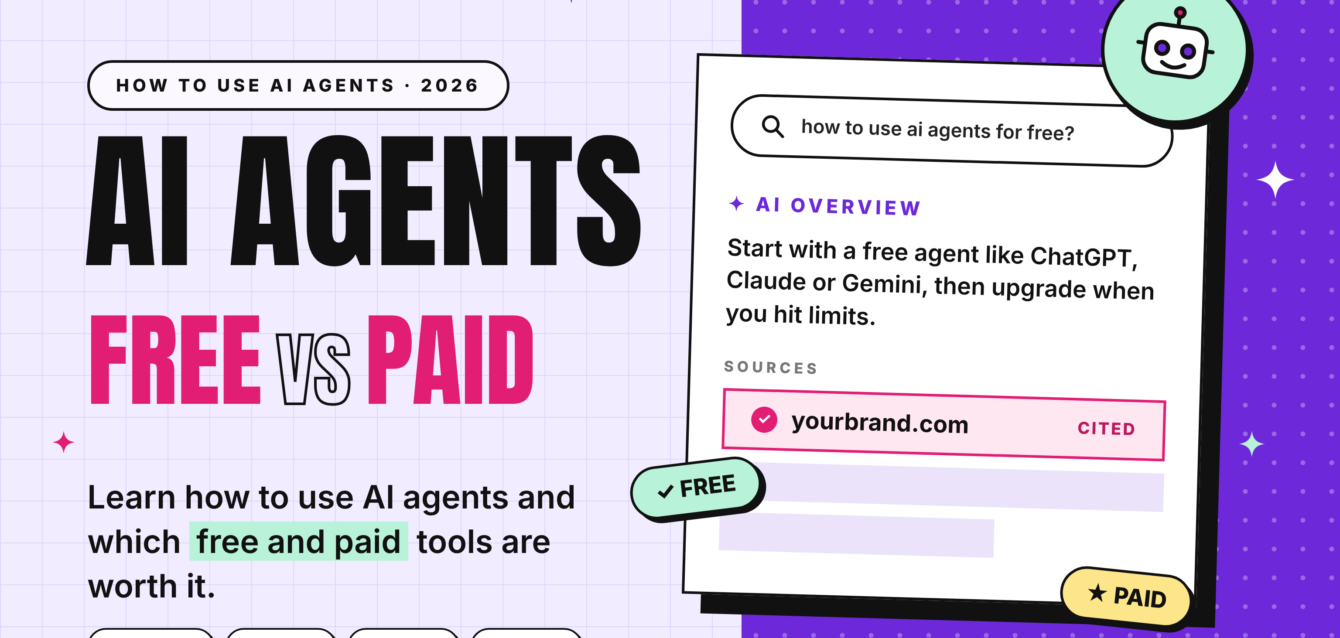
Free vs Paid AI Agents: Which Should You Choose?
Choose free if you are learning, doing occasional tasks, or testing whether an agent fits your workflow.
Choose paid if you use agents daily, need longer or more complex tasks, handle sensitive business data that needs stronger privacy controls, or want team collaboration and admin features.
A smart approach: start free, track how often you hit limits, and upgrade only the one tool you actually use every week.
AI Agent Safety and Best Practices
- Never paste passwords, API keys, or confidential client data into tools without checking the privacy policy.
- Require human approval before an agent sends emails, makes purchases, or changes records.
- Verify facts, statistics, and citations, since agents can still produce errors.
- Review account permissions regularly and remove access you no longer need.
Frequently Asked Questions About AI Agents
What is an AI agent in simple terms?
An AI agent is software that uses artificial intelligence to plan and complete tasks for you, such as researching a topic, writing code, or updating a spreadsheet, rather than only answering questions.
How do I start using an AI agent?
Pick one repetitive task, choose a beginner-friendly tool such as ChatGPT, Claude, Gemini, or Copilot, give it a clear goal with constraints, limit its access to what is needed, and review the output before acting on it.
Are there free AI agents?
Yes. ChatGPT, Claude, Gemini, Microsoft Copilot, and Perplexity all offer free plans with usage limits. Open-source frameworks like LangChain, CrewAI, and AutoGen are free to use, though model API calls cost money.
Which AI agent is best for beginners?
General assistants such as ChatGPT, Claude, Gemini, and Copilot are the easiest starting points because they need no setup. No-code tools like Zapier or n8n suit people who want to automate work between apps.
How much do paid AI agents cost?
Most individual subscriptions start around $20 per month, with higher tiers ranging from roughly $100 to $250 per month. Team and enterprise plans are priced per user or by contract. Always check the official pricing page.
What is the difference between an AI agent and a chatbot?
A chatbot responds to questions in a conversation. An AI agent pursues a goal, decides which steps to take, uses tools, and acts on your behalf with minimal prompting.
Can AI agents replace human workers?
Agents are best at automating repetitive, well-defined tasks. They still need human oversight for judgment, accuracy, ethics, and final decisions, so they work best as assistants.
Are AI agents safe to use with business data?
They can be, if you choose plans with clear data-handling policies, limit permissions, and keep humans in the loop. Business and enterprise plans usually offer stronger privacy controls than free tiers.
Conclusion
Learning how to use AI agents starts with one small, repeatable task and a clear goal. Begin with a free tool, learn how agents plan and act, then move to a paid plan only when your workload justifies it. Whether you want research help, workflow automation, or an AI coding partner, there is a free or paid AI agent that fits.