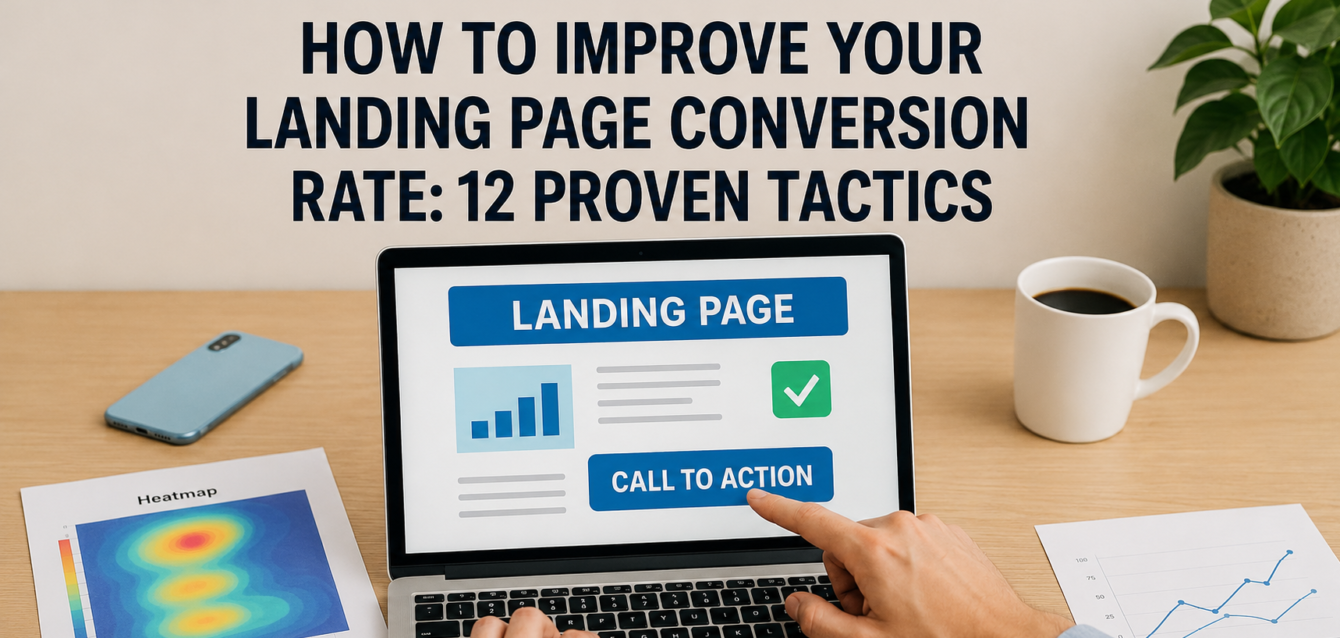
To improve your landing page conversion rate, align your headline with the visitor’s intent, make your CTA obvious, add trust signals near decision points, reduce form friction, improve page speed, and design the page for mobile-first behavior.
Most landing pages do not need more traffic first. They need fewer leaks. If 1,000 people visit your page and only 20 convert, small improvements to the headline, above the fold section, call to action, social proof, and form can create more leads without increasing ad spend.
In our audits of 200+ landing pages, we have found that conversion problems usually come from unclear messaging, weak message match, low CTA visibility, poor mobile optimization, slow page speed, and missing proof. Before you redesign the whole page, run a free CRO audit to identify the highest-impact fixes.
This guide uses The Dreamer Designs 12-Tactic Conversion Lift Framework to show exactly how to improve your landing page conversion rate with practical, testable CRO tactics.
What Is Landing Page Conversion Rate?
Landing page conversion rate is the percentage of visitors who complete the main action on your landing page, such as submitting a form, booking a call, starting a trial, buying a product, or clicking through to the next step.
The formula is simple: conversions divided by visitors, multiplied by 100. If 1,000 visitors land on your page and 50 become leads, your landing page conversion rate is 5%.
Conversion rate is not the same as click-through rate, bounce rate, or engagement rate. Click-through rate measures how many people click a link or button. Bounce rate helps show whether users leave without deeper engagement. Conversion rate measures whether the page achieved the business goal.
According to Unbounce’s landing page benchmark data, the average landing page conversion rate was around 6.6% across all industries as of Q4 2024, based on analysis of millions of visits, landing pages, and conversion actions. That number is useful as a baseline, but your own conversion rate benchmark should account for offer type, traffic source, funnel stage, industry, and user intent.
A Shopify product landing page, a SaaS free-trial page, a webinar registration page, and a high-ticket lead generation page can all have different “good” conversion rates. The goal is not to copy an industry average. The goal is to improve your page against its own baseline through landing page optimization, user behavior data, A/B testing, and better design decisions.
How to Improve Your Landing Page Conversion Rate With 12 CRO Tactics
You improve your landing page conversion rate by removing friction from the conversion funnel and making the next step feel clear, valuable, and safe.
The 12 tactics below work best when used as a sequence. Start with message match and headline clarity, then improve CTA visibility, social proof, page speed, mobile UX, forms, heatmap tracking, and testing. This prevents random changes and turns CRO into a repeatable system.
1. Match the Headline to the Ad, Email, or Search Intent
Your headline should match the promise that brought the visitor to the page.
Message match is one of the fastest ways to improve landing page conversion rate because it confirms that visitors are in the right place. If your Google Ad says “free landing page audit,” but your page headline says “Scale Your Digital Growth,” the visitor has to work too hard to connect the dots.
In our analysis of 200+ landing pages, we found that pages with clear headline-ad message match usually had fewer above-the-fold clarity issues than pages using broad brand slogans.
Quick-win fix: copy the core phrase from your ad, email, or search keyword into the headline or subheadline. If the visitor searched “how to improve landing page conversion rate,” the page should quickly mention landing page conversion rate, not hide behind vague marketing language.
For a faster diagnosis, use our conversion rate optimization tool to review message clarity and page friction.
2. Rewrite the Hero Section Around One Clear Outcome
Your hero section should explain the offer, the audience, and the result in one focused message.
The above the fold area is not the place for five offers, three CTAs, rotating carousels, or abstract brand copy. It should answer three questions: “What is this?”, “Why should I care?”, and “What should I do next?”
A strong hero section includes a benefit-driven headline, a short subheadline, one primary CTA, a relevant visual, and one trust signal. This is where many landing page design projects go wrong. They prioritize aesthetics before clarity.
Quick-win fix: remove secondary buttons, extra navigation, and unnecessary hero text. Then rewrite the subheadline so it explains the outcome in plain English.
For example, “Get a conversion-focused landing page that turns paid traffic into qualified leads” is clearer than “Unlock your brand’s full potential.”
3. Make Your CTA Copy Specific and Action-Oriented
Your call to action should tell users exactly what happens after they click.
CTA copy affects user confidence. Generic buttons like “Submit” or “Learn More” can work, but they often miss a chance to reinforce value. Better CTAs use clear verbs and reduce uncertainty.
Examples include:
“Get My Free Audit”
“Book My Strategy Call”
“Start My Free Trial”
“See My CRO Score”
“Get the Landing Page Checklist”
According to HubSpot’s CTA reporting guidance, CTA performance should be evaluated through views, clicks, and submissions. That matters because a CTA may be visible but still fail if the copy, offer, or surrounding trust signals are weak.
Quick-win fix: change one vague CTA into a value-based CTA. Then track click-through rate in Google Analytics 4 before changing button color or layout.
4. Place Social Proof Near the First Decision Point
Social proof works best when it appears near the moment of doubt, not buried at the bottom of the page.
Visitors need proof before they act. This is especially true for paid traffic, cold audiences, high-ticket offers, SaaS trials, and ecommerce conversion pages. Testimonials, client logos, reviews, case study snippets, star ratings, and short customer quotes can all reduce perceived risk.
The mistake is placing all proof after a long scroll. By then, many users have already formed a first impression or left the page.
Quick-win fix: add one proof element directly under the hero CTA. This could be a short testimonial, review count, customer logo row, or outcome-based stat.
Pull-quote stat: In our audits of 200+ landing pages, pages with proof near the first CTA were more likely to have a clear trust path than pages that placed all testimonials near the footer.
For pages that need stronger credibility and structure, our landing page design service can rebuild the page around conversion-first proof placement.
5. Use Urgency Without Creating Fake Pressure
Urgency should help visitors act sooner, but it should never feel fake or manipulative.
Real urgency works when there is a true reason to act now. That might be a deadline, limited availability, seasonal offer, expiring bonus, enrollment window, low inventory, or price change. Fake countdown timers and false scarcity can hurt trust signals and increase hesitation.
Urgency is most effective when it supports the offer rather than replacing value. A weak offer with a countdown timer is still a weak offer.
Quick-win fix: add a real urgency cue close to the CTA. For example, “Only 6 audit slots available this week” is stronger than “Hurry now!” because it explains the reason.
On Shopify pages, urgency can come from inventory, shipping deadlines, bundles, or limited drops. On lead generation pages, urgency often comes from consultation capacity, event deadlines, or bonus expiration.
6. Test Video vs. Image Hero Sections
Your hero visual should make the offer easier to understand, not simply make the page look modern.
Video can improve clarity when it explains a product, shows a transformation, demonstrates software, or builds trust through a founder or customer story. But video can also slow page speed, distract users, or push the CTA below the fold.
Static images work better when the offer is simple, the page needs to load fast, or the visual can quickly show the product, dashboard, result, or customer outcome.
Quick-win fix: create two hero variants. One uses a clear static image or product screenshot. The other uses a short muted video or thumbnail that opens a video. Compare CTA click-through rate, scroll depth, and form completion.
If you use Unbounce, variant testing can be easier to manage. For more complex builds, work with an Unbounce landing page design team to test hero formats without breaking tracking.
7. Improve Page Speed Before Running More Ads
Faster pages create a smoother user experience and reduce the chance that visitors leave before seeing your offer.
Page speed affects the first impression. A slow hero image, bloated page builder, heavy scripts, or delayed CTA can reduce conversions before the visitor reads your headline. Google’s Core Web Vitals measure real-world user experience for loading performance, interactivity, and visual stability, which makes them useful for CRO and SEO review.
Use Google PageSpeed Insights to test mobile and desktop performance. Focus first on the changes users feel: compressed images, fewer scripts, lazy-loaded videos, cleaner fonts, and faster mobile rendering.
Quick-win fix: compress your hero image, remove unused tracking tags, and retest. For WordPress, review plugins. For Shopify, review apps. For Unbounce, review scripts and embedded media.
Page speed is not about chasing a perfect score. It is about helping users reach the CTA faster.
8. Design Mobile-First, Not Desktop-First
Mobile-first design means the page is built for thumb scrolling, fast comprehension, and easy tapping on smaller screens.
Many landing pages are approved on a large desktop monitor but fail on mobile. The headline wraps awkwardly, the CTA disappears below the fold, form fields feel cramped, pop-ups cover content, or social proof becomes unreadable.
Mobile optimization is now a conversion requirement, not a nice extra. Your landing page should feel simple on a phone before it feels impressive on desktop.
Quick-win fix: open the page on a real phone and complete the conversion yourself. Look for sticky bars, tiny text, awkward spacing, slow image loading, and form friction.
For mobile landing page optimization, keep the hero short, make the CTA easy to tap, reduce visual clutter, and place proof before long explanation sections.
9. Reduce Form Friction
A landing page form should ask for only the information needed to complete the next step.
Form friction is one of the most common conversion blockers we see in lead generation audits. Teams often ask for phone number, company size, budget, role, industry, website, and notes before proving value. That may help sales qualification, but it can reduce form submissions if the offer is not strong enough.
The form should match the perceived value of the offer. A free checklist should have fewer fields than a high-ticket consultation request.
Quick-win fix: remove one required field and add privacy reassurance under the form. If sales needs more information, ask later after the lead has started the conversation.
Also check mobile form behavior. The right keyboard should appear for email and phone fields, error messages should be clear, and the submit button should remain easy to find.
10. Add Trust Signals Beside Risky Actions
Trust signals should appear beside the actions where users feel risk.
Risk increases when users are asked to share personal data, book a call, start a trial, enter payment details, or buy from a brand they do not know. That is why trust elements should sit near CTAs, forms, pricing sections, checkout buttons, and signup flows.
Strong trust signals include security badges, privacy notes, guarantees, review scores, recognizable client logos, certifications, case studies, refund policy language, and customer quotes.
Quick-win fix: add a short trust line under the form button. For example: “No spam. We’ll send your audit results only.” Or “Takes 60 seconds. No credit card required.”
On ecommerce pages, add shipping clarity, return details, payment icons, reviews, and product proof close to the add-to-cart button. On SaaS pages, add trial reassurance, cancellation clarity, and customer logos near signup CTAs.
11. Use Heatmaps and Session Recordings to Find Conversion Leaks
Heatmaps and session recordings show where users click, scroll, hesitate, and abandon the page.
Manual CRO review is useful, but user behavior data helps confirm what is actually happening. Microsoft Clarity describes itself as a free user behavior analytics tool with session replays and heatmaps, which makes it a strong starting point for landing page optimization.
Look for patterns like dead clicks, rage clicks, low scroll depth, missed CTAs, form abandonment, and users clicking non-clickable elements. Do not make a decision based on one recording. Watch for repeated behavior across sessions.
Quick-win fix: review 20 mobile recordings and 20 desktop recordings. If users repeatedly miss the CTA or abandon the same form field, prioritize that fix before launching new A/B testing.
Hotjar is another useful option for heatmap and behavior analytics review. Use these tools to understand behavior, not to replace strategic CRO thinking.
12. Run One A/B Test at a Time
A/B testing works best when you test one clear hypothesis at a time.
If you change the headline, hero image, CTA copy, form length, testimonials, and layout all at once, you may see a conversion lift but not know what caused it. Clean split testing requires a specific hypothesis, enough traffic, and a primary metric.
Good first tests include:
Headline testing
CTA copy testing
Hero image vs. video
Short form vs. long form
Proof near CTA vs. proof lower on page
Single-step vs. multi-step form
Quick-win fix: write the test hypothesis before building the variant. For example: “Changing the CTA from ‘Submit’ to ‘Get My Free Audit’ will improve form submissions because it makes the value clearer.”
Use Google Analytics 4 key events to track the action that matters. Google’s GA4 documentation explains that events can be created or modified to measure the behavior you want to track.
Common Mistakes That Lower Landing Page Conversion Rate
The biggest conversion rate mistake is treating the landing page as a design asset instead of a decision path.
A landing page is not just a page. It is a guided argument. Every section should reduce doubt, increase motivation, and move users toward the next action.
Mistake 1: Sending All Traffic to One Generic Page
Different audiences need different messages. Paid search visitors, cold social traffic, email subscribers, and retargeting audiences often have different intent. Fix this by creating campaign-specific pages with stronger message match.
Mistake 2: Making the CTA Compete With Other Links
Navigation menus, footer links, secondary buttons, social icons, and unrelated offers can distract users from the conversion goal. Fix this by reducing exits and making the primary CTA the obvious action.
Mistake 3: Hiding Proof Too Low on the Page
If users do not trust the page early, they may never reach the testimonial section. Fix this by moving social proof, review snippets, logos, or customer results closer to the first CTA.
Mistake 4: Ignoring Mobile Form Friction
A form that feels fine on desktop can feel painful on mobile. Fix this by testing the full form on a phone, reducing required fields, and making buttons easier to tap.
Mistake 5: Running Tests Without Enough Data
Multivariate testing and split testing need traffic. If your page has low traffic, start with expert review, heatmap data, and high-confidence fixes before running complex tests.
Run a free landing page audit first so your team knows which issues to prioritize.
Free Tools to Improve Your Landing Page Conversion Rate
Free CRO tools help you diagnose problems before you spend money on redesigns, ads, or paid testing software.
The Dreamer Designs CRO Analyzer should be your first stop. Use the CRO analyzer to review your landing page through a conversion-focused lens and identify high-impact fixes.
Google PageSpeed Insights helps you test page speed, mobile performance, and Core Web Vitals. Use Google PageSpeed Insights before and after compressing images or removing scripts.
Google Search Console helps monitor search performance and Core Web Vitals for indexed pages. Use Google Search Console when your landing page receives organic search traffic.
Microsoft Clarity shows heatmap and session recording data. Use Microsoft Clarity to find dead clicks, scroll issues, and behavior patterns.
Hotjar helps teams collect heatmaps, recordings, and user feedback. Use Hotjar when you want visual behavior data plus qualitative feedback.
Google Analytics 4 helps track conversion events, traffic sources, engagement, and funnel movement. Use GA4 to measure whether your CRO tactics improve the landing page conversion rate over time.